Accessibility
Website and Digital
ADA Title II Update
US Department of Justice issued new regulation on April 24, 2024, that significantly updated digital accessibility requirements for state and local governments.
Title II of the ADA requires state and local governments to provide services, programs, and activities that are accessible to people with disabilities. Title II applies to all services, programs, or activities of state and local governments, including public universities. This accessibility obligation includes services, programs, and activities that are offered online and through mobile apps.
The new Web Rule lists specific requirements about how to ensure that web content and mobile applications (apps) are accessible to people with disabilities. All state and local governments’ web content, including content provided by mobile apps, needs to meet the WCAG Version 2.1, Level A & AA by the compliance date (April 26, 2027, complaince date updated April 20, 2026) unless there is an exception that applies.
In today’s digital world, accessibility is essential for building inclusive, user-friendly online experiences. It involves designing and developing digital content, websites, and platforms that can be used by everyone—regardless of ability or disability. Accessibility ensures equal access to information, services, and digital tools.
At Illinois State University, we are committed to fostering an inclusive online environment. Our websites, applications, and digital documents are designed to provide a functional, accessible, and interactive experience for all users.Many applications and text editors offer built-in features to help you create accessible documents, web pages, and media. By learning how to use these tools—including common campus resources—you can design more inclusive digital materials. Everyone who creates online content shares the responsibility of making it accessible.
The Digital Accessibility Canvas Course as a training tool to help improve your accessibility skills.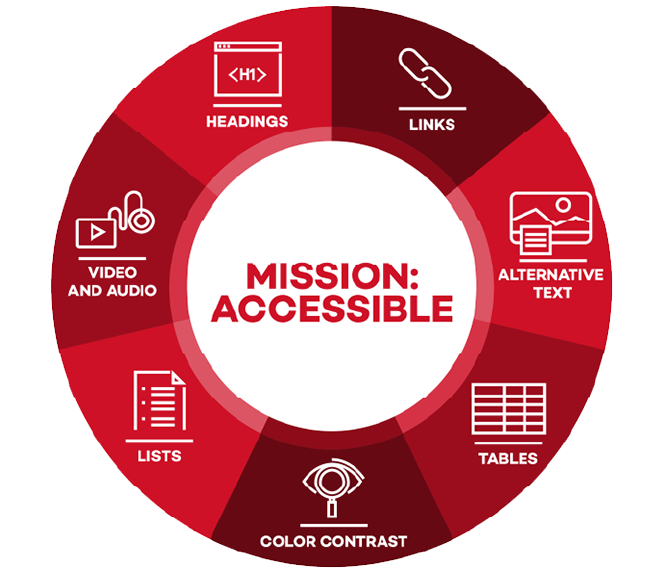
Mission: Accessible
Be part of our mission to help everyone access and navigate digital content with ease.7 Steps
The basics of accessibility don’t change, but every tool—like Word, Adobe, or Canvas—has its own way of getting you there. These 7 steps will guide you in creating content that works for everyone.
Find Accessibility Help Articles and Tutorials
-
Microsoft Products
Microsoft products have built in functions to help create accessible digital materials.
-
Canvas
Canvas is a powerful learning management system that offers a several options to create accessible course content.
-
Modern Campus (Formerly Omni Campus) CMS
Use Modern Campus CMS to create accessible webpages.
-
PDF Accessibility
Adobe Acrobat Pro can help fix inaccessible PDFs.
-
Social Media
Social media platforms have ways to provide inclusively designed messages.
-
Zoom
Help make your online meeting accessible.
-
Adobe InDesign
InDesign has features that allow you to export accessible PDFs.
-
GoogleDocs
Create accessible documents in GoogleDocs
-
CampusPress
Create accessible websites with CampusPress.
-
Padlet
Create a more accessible experience in Padlet
-
Canva
Create a accessible documents and presentations with Canva.
-
Calendly
Create accessible calender invites
-
EdPuzzle
Create accessible interactive video lessons
-
Echo Labs
Add captions to your video contents
Overview of Accessibility Best Practices
-
Page Structure
Learn common practices to provide accessible page structure with headings, lists, and more.
-
Page Content
Learn how to improve your page's styling and content.
-
Multi-Media
Learn how to make your multi-media accessible.
-
Forms
Learn how to create accessible and interactive web and document forms.
Web Content Accessibility Guidelines
Illinois State follows the ADA Title II, Illinois Information Technology Accessibility Act Standards, and the United States' Section 508 Standards which all direct to the World Wide Web Consortium's Web Content Accessibility Guidelines (WCAG) 2.+ Level A & AA. These guidelines provide standard practices for designers, developers, and content authors to create content for a diverse range of abilities. Though website accessibility is necessary for some people to access and use digital content - it benefits all users.
In October 2023, the W3C released Web Content Accessibility Guidelines (WCAG) 2.2.
Web Accessibility Resources
If you have questions about accessibility, submit an Accessibility Help Ticket.