Technology
Workshop and Event Registration and Cancelation
Last modified 4/23/2026
The Center for Integrated Professional Development has begun using a new registration system for the workshops and events starting November 2023. This new system utilizes Campus Solutions, the same system used by faculty and staff to submit timesheets, check vacation time, and more.
MFA Requirement
When registering from off campus locations, users may be asked to complete Multi-Factor Authentication (MFA).
- Registering
- Navigate to Center for Integrated Professional Development
- Select one of the following:
- Short Courses
- Workshops
- A link in a tile (ex: Browse Workshops link in the Canvas Workshops tile) (Image 1)
Image 1: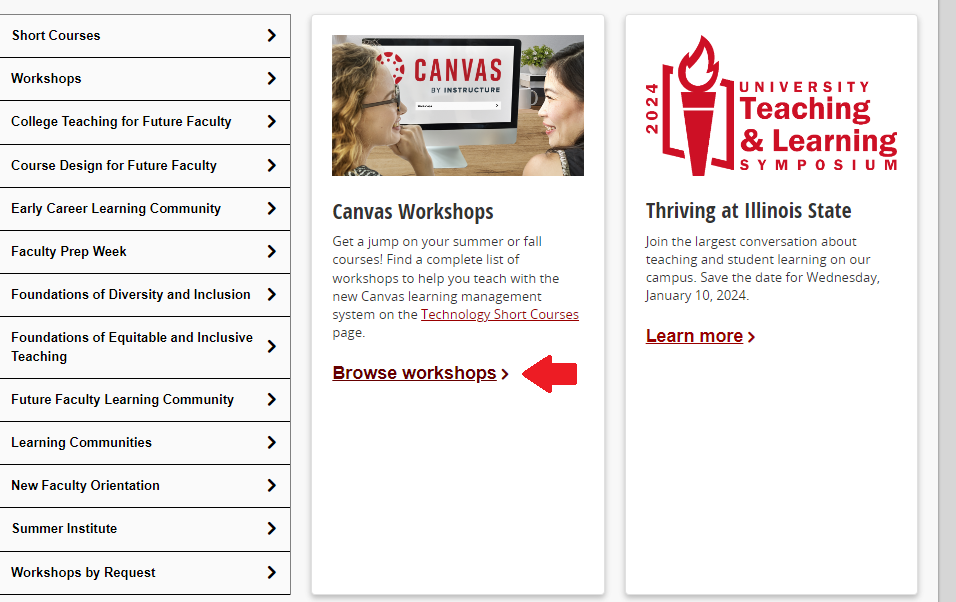
- Select a link for the workshop or event you wish to attend (Image 2)
Image 2: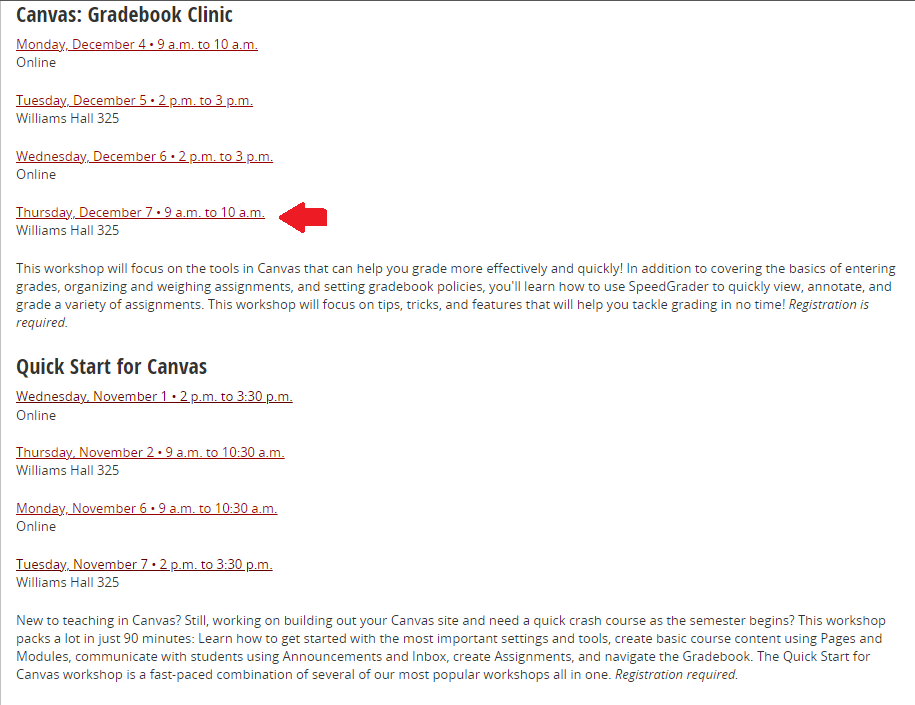
- Log in to the workshop or event via Central Login.
- For more information about Central Login at ISU, please refer to: Central Login
- If off campus you may be prompted to authenticate with MFA.
- Review the Session detail and select Continue (image 3)
Image 3: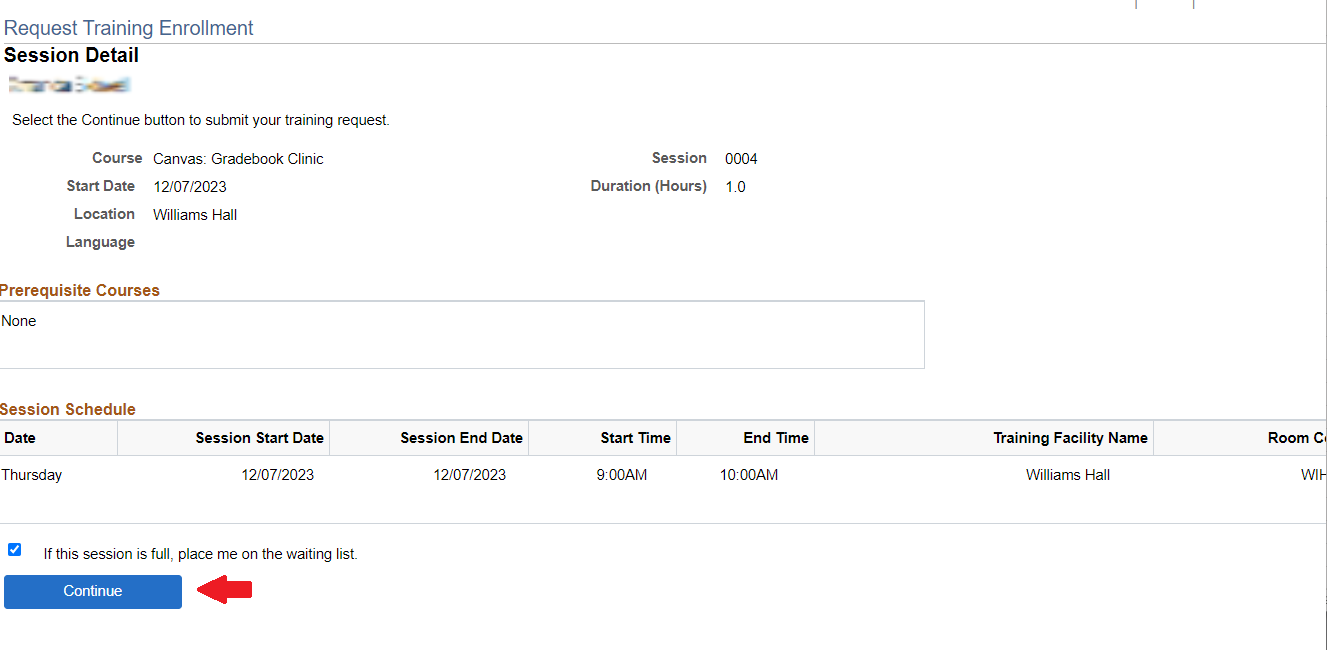
- Review the Submit Request page and select Submit (image 4)
Image 4: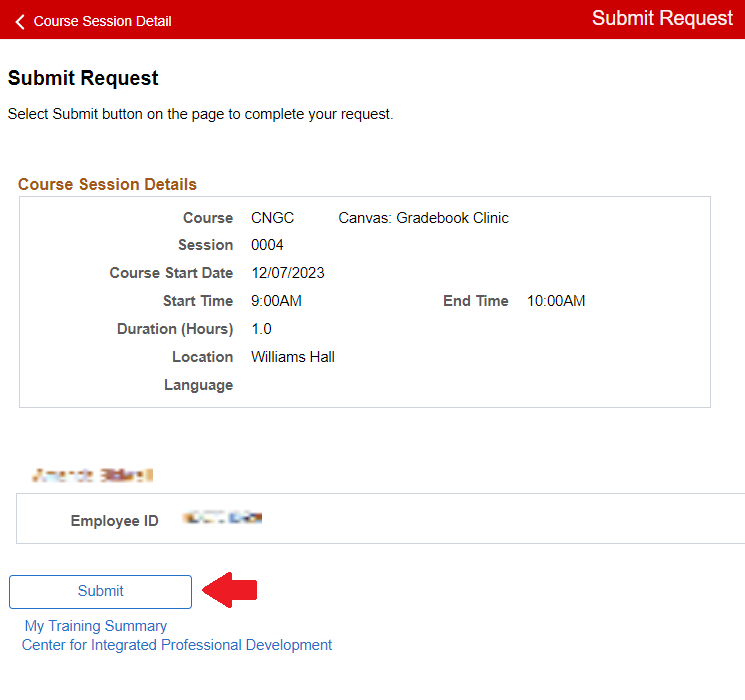
- Select OK for the Save Confirmation (image 5)
Image 5: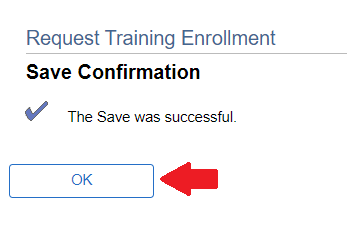
- You will get an email from iPeople-noreply@illinoisstate.edu as confirmation with your workshop/event information (Image 6)
Image 6: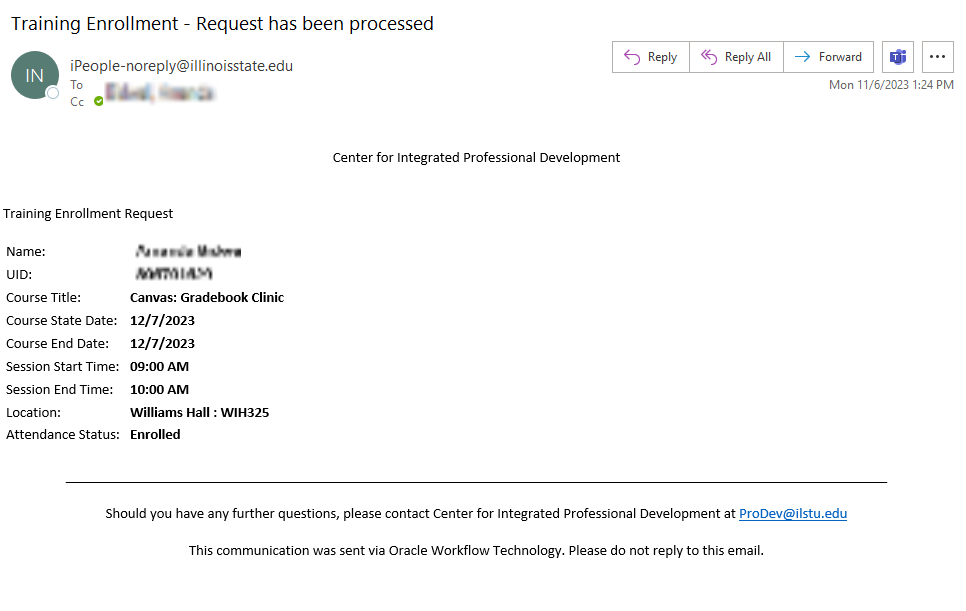
- You are now registered for the event and can see the event in your training summary.
Users can see what they have previously registered for and cancel registrations by logging into this tracking page.
- Cancel Registration
- Login to this tracking page
- Alternatively you can login to iPeople the way you normally do, then select the Prodev Learner tile
- Under the My Training Summary section select Enrollment Cancellation next to the workshop/event you want to cancel (image 7)
Image 7: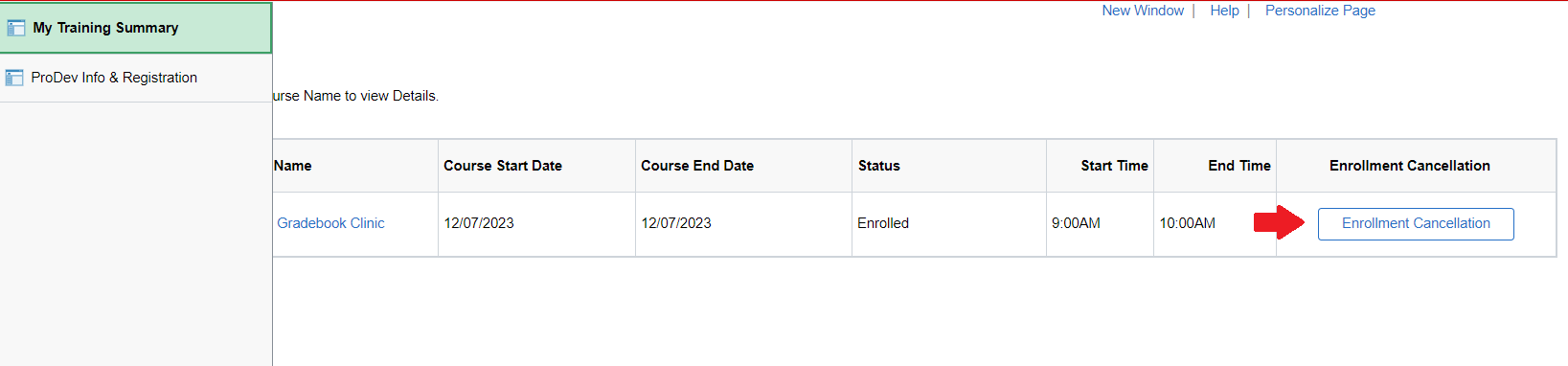
- A pop-up will appear asking Are you sure you want to delete the record? Select Yes (Image 8)
Image 8: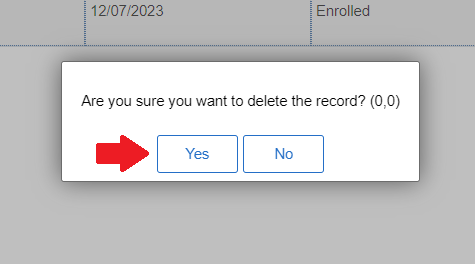
- The workshop/event should now be removed from your training summary
- You have successfully canceled your registration
How to Get Help
Technical assistance is available through the Illinois State University Technology Support Center at:
- Phone: (309) 438-4357
- Email: SupportCenter@IllinoisState.edu
- Submit a Request via Web Form: Get IT Help Form
- Live Chat: IT Help Live Chat
For instructional assistance, contact the Center for Integrated Professional Development by phone (309) 438-2542 or email at ProDev@ilstu.edu.
Feedback
To suggest an update to this article, ISU students, faculty, and staff should submit an Update Knowledge/Help Article request and all others should use the Get IT Help form.