Figure 1:
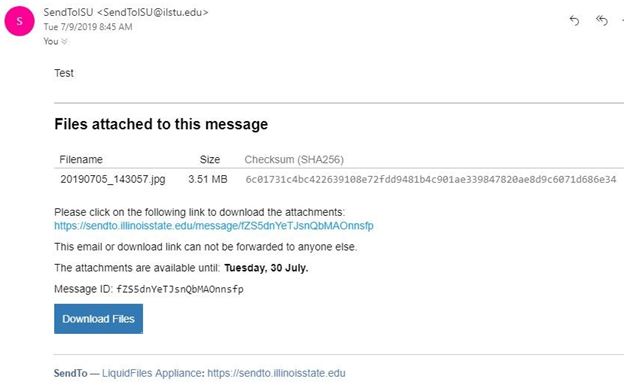
Figure 2: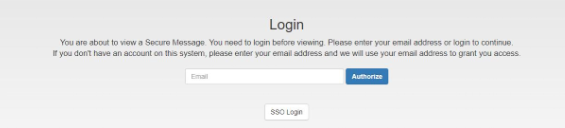
Figure 3: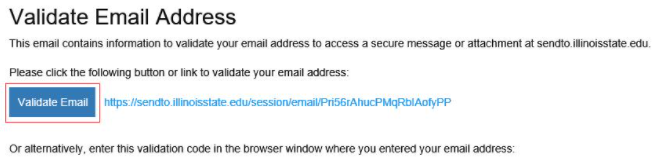
Figure 4 (Validation Code):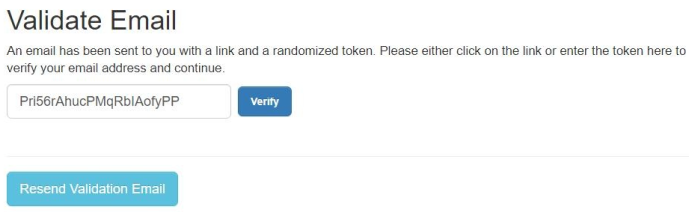
Figure 5: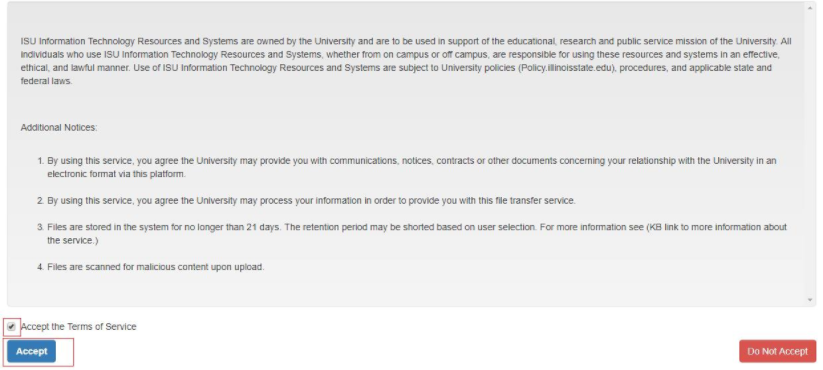
Figure 6:
Last modified 4/17/2026
The below instructions will only work off-campus. Users who are connected to the ISU network will automatically be prompted to log in via Central Login with a valid ISU account using your ISU Email and password.
If you are off-campus and need to pick up a file from SendTo, please follow the directions below:
Figure 1:
Figure 2:
Figure 3:
Figure 4 (Validation Code):
Figure 5:
Figure 6:
If you are getting an error when trying to login to SendTo off-campus please view Log-in Error when using SendTo off-campus
Technical assistance is available through the Illinois State University Technology Support Center at:
To suggest an update to this article, ISU students, faculty, and staff should submit an Update Knowledge/Help Article request and all others should use the Get IT Help form.