Technology
Request Grade Change Button
Last modified 10/7/2026
Campus Solutions now includes a Request Grade Change button for Instructor use. It is accessible by revisiting the grade roster after grades have been posted for the class. The Request Grade Change button is available only until the end of the subsequent fall/spring term.
Using the Request Grade Change button, the assigned Instructor may update a grade without approval. Grade changes are monitored and reviewed daily by university staff to assess potential impacts on a student's academic record, including credit hours, GPA, academic standing, athletic eligibility, financial aid eligibility, graduation status, honors, and other related areas.
Please note the following restrictions:
- Instructors cannot request a change to an I or M grade through any grade change process. Contact registrar@ilstu.edu for assistance.
- Instructors may request a change from an I or M grade using the Grade Change Request Form, not the Request Grade Change Button.
- Instructors cannot request a change from a WX. Contact registrar@ilstu.edu for assistance.
- Instructors who habitually submit grade changes may be contacted for follow-up.
- Instructors who submit a request to change a grade that has already been approved by the Department Chair/Director or the Provost's Office will be contacted.
See the instructions below for guidance on completing and submitting the Grade Change Request Form.
- Instructors
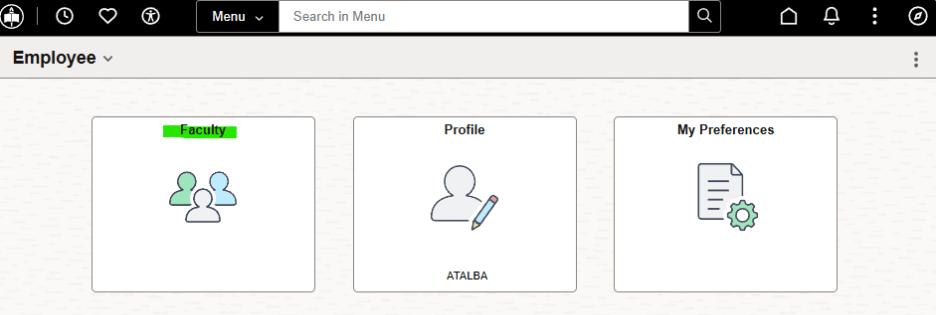
1. Navigate to the Faculty card in Campus Solutions.
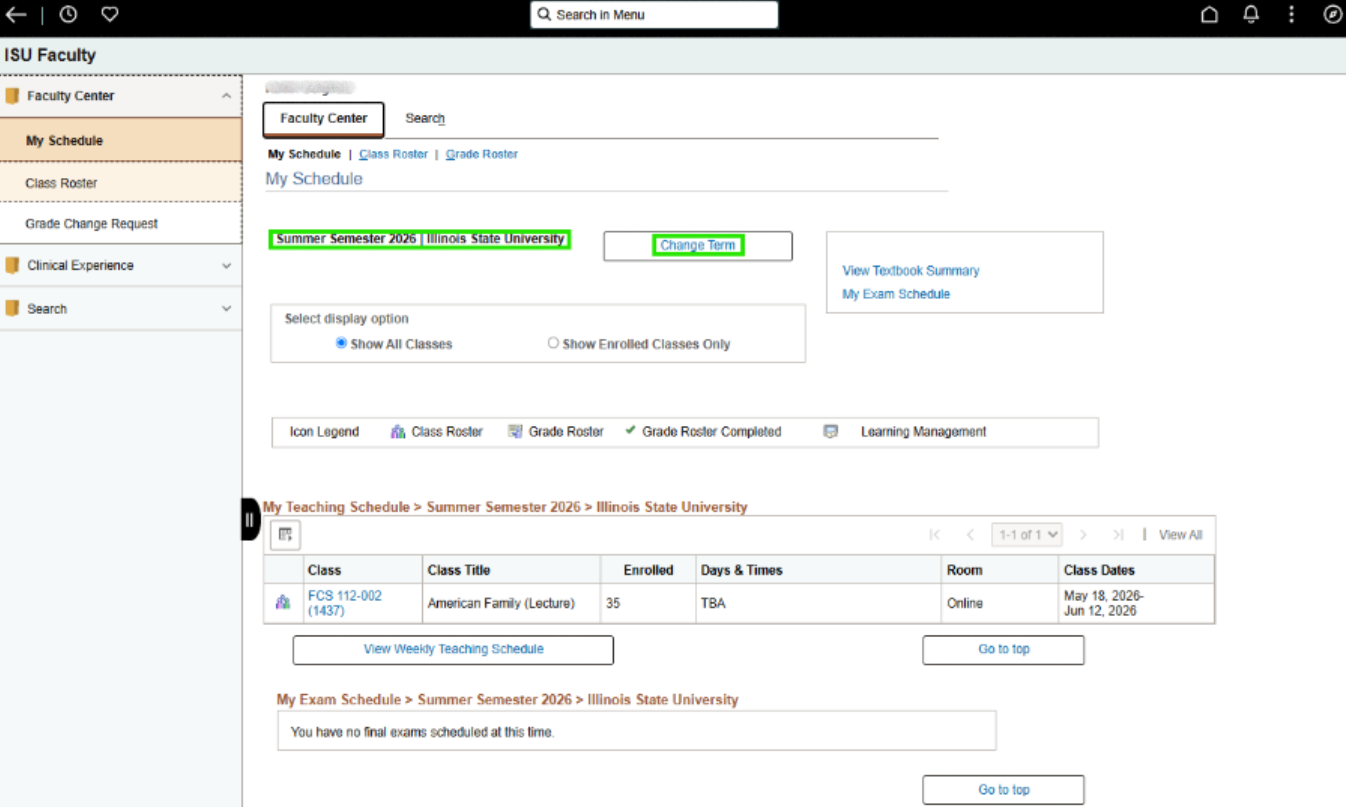
2. The Term displayed is the current term. Click Change Term if the grade you intend to change is in a prior graded semester.
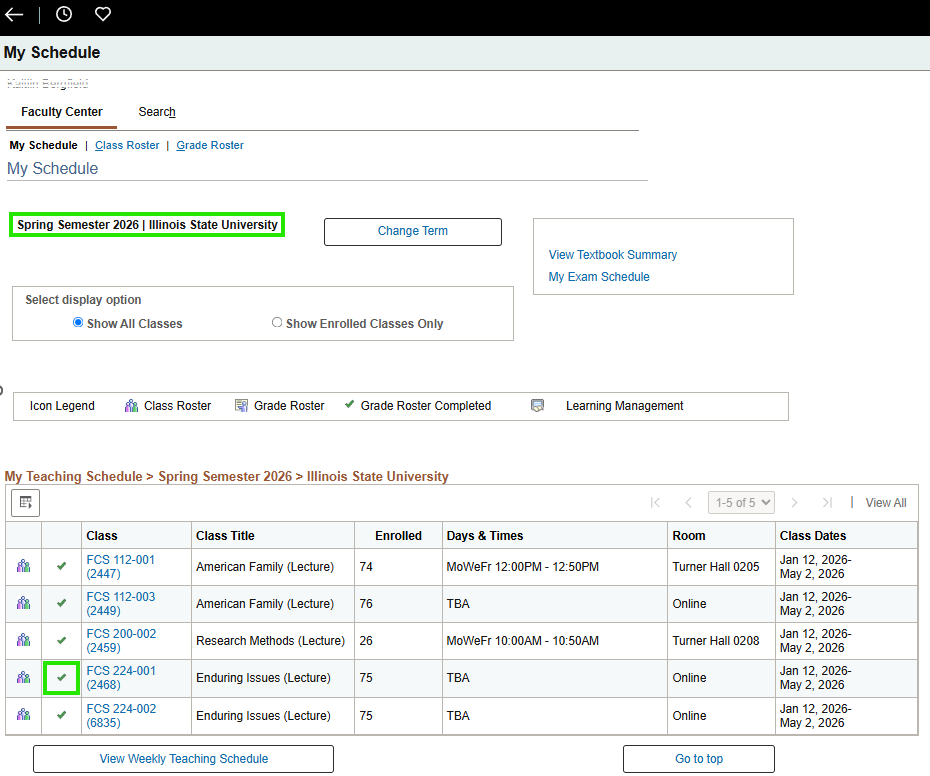
3. Once on the appropriate term, identify the class for which you intend to submit a grade change request. Click the green checkmark to view the Grade Roster for that class.
4. When the Grade Roster displays, ensure Final Grade is selected for the Grade Roster Type, then click the Request Grade Change button.
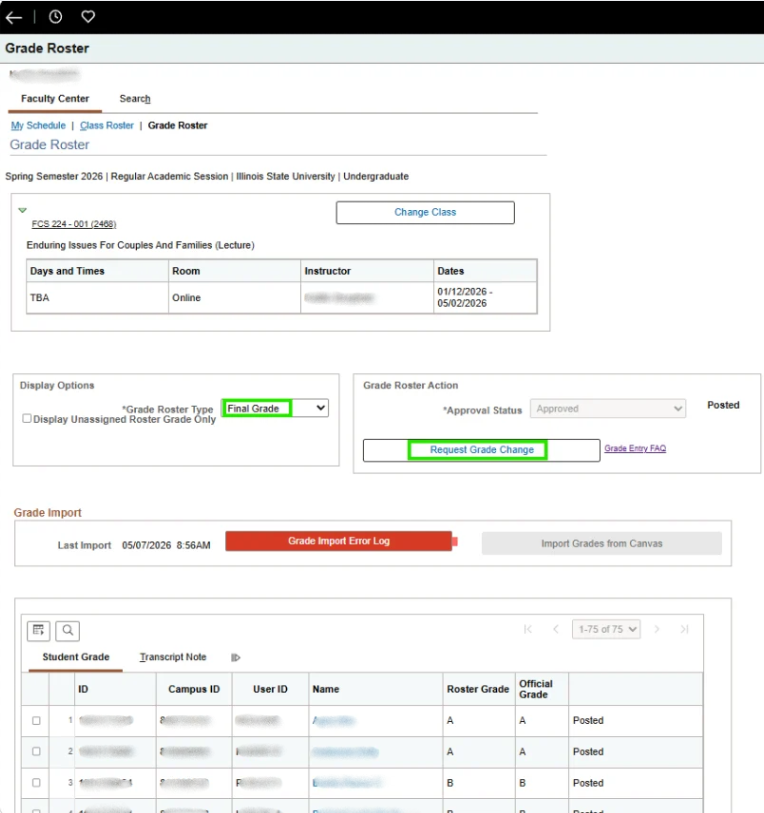
5. For the student for whom you intend to change the grade, click the Official Grade dropdown and select the new grade.
- Requests to change a WX, P, NP, I, or M grade to a different final letter grade are not allowed using this method. Instructors must submit an email request to registrar@ilstu.edu that includes an explanation and justification for the change. In that situation, Approval/Denial will be via email response from the Registrar’s Office.
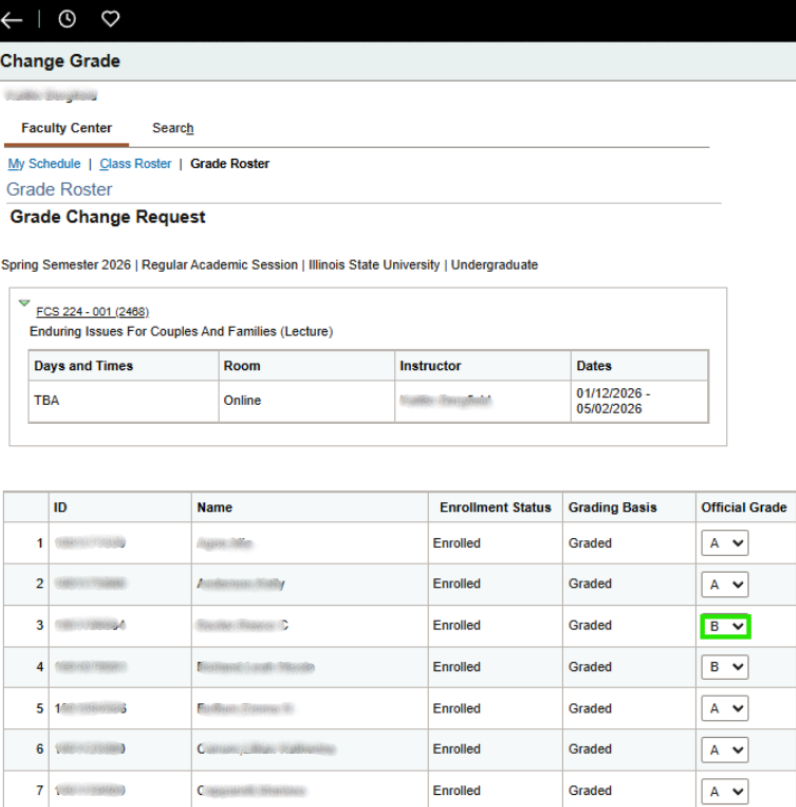
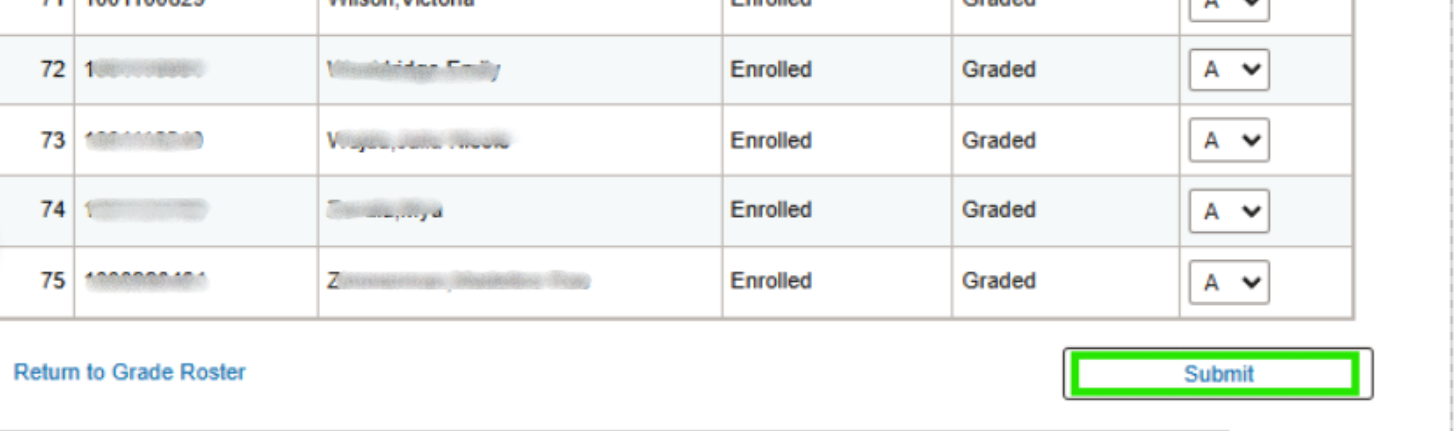
6. Scroll to the bottom of the Roster and click the Submit button.
7. You will now see that the grade in the Roster has been updated to your selected grade, and the status shows Success.
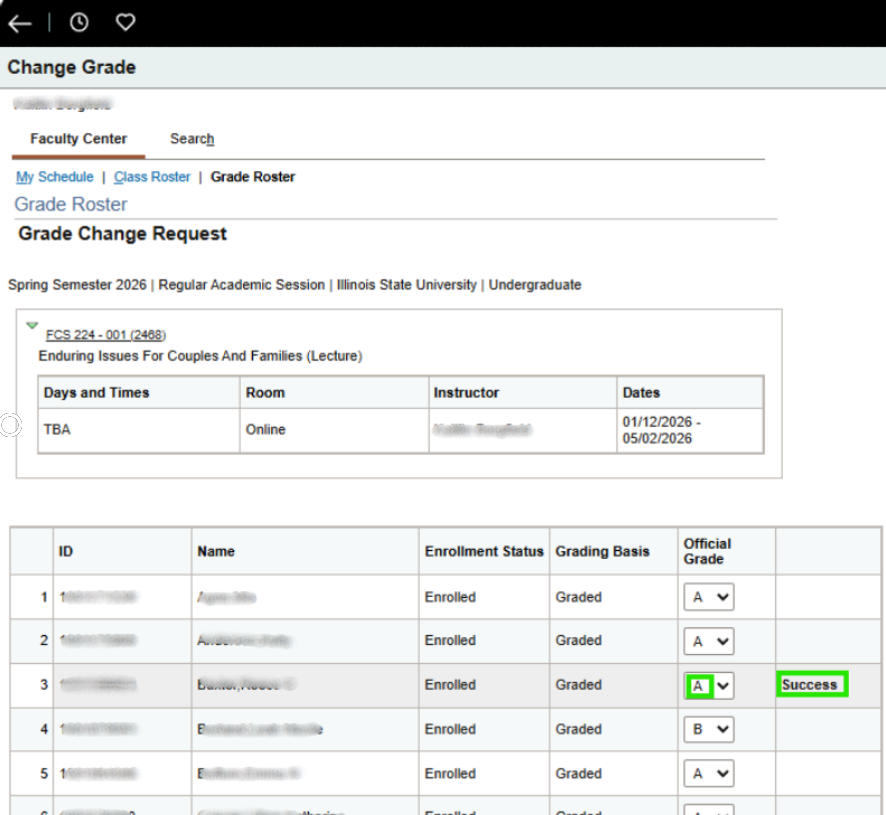
8. The grade will be changed in Campus Solutions and on the student’s record within 24 hours. The grade change process occurs overnight.
Related articles
How to Get Help
If you have any questions about the form, contact the Registrar by calling (309) 438-2188 or emailing Registrar@IllinoisState.edu.
If you are having technical issues, contact the Illinois State University Technology Support Center:
- Phone: (309) 438-4357
- Email: SupportCenter@IllinoisState.edu
- Submit a Request via Web Form: Get IT Help Form
- Live Chat: IT Help Live Chat
Feedback
To suggest an update to this article, ISU students, faculty, and staff should submit an Update Knowledge/Help Article request and all others should use the Get IT Help form.