Technology
Grade Change Request Form
Campus Solutions now includes a Grade Change Request Form for Instructor use. The form is available year-round.
Using the Grade Change Request Form, the Instructor submits a request, which the designated Department Approver then reviews. Approved requests are monitored and reviewed daily by university staff to assess potential impacts on a student's academic record, including credit hours, GPA, academic standing, athletic eligibility, financial aid eligibility, graduation status, honors, and other related areas. If the request is approved, the student's grade will be updated. If the request is denied, the Instructor will receive an email notification.
Please note the following restrictions:
- Instructors cannot request a change to an I or M grade through any grade change process. Contact registrar@ilstu.edu for assistance.
- Instructors may request a change from an I or M grade using the Grade Change Request Form, not the Request Grade Change Button.
- Instructors cannot request a change from a WX grade. Contact registrar@ilstu.edu for assistance.
- Instructors who habitually submit grade changes may be contacted for follow-up.
- Instructors who submit a request to change a grade that has already been approved by the Department Chair/Director or the Provost's Office will be contacted.
See the instructions below for guidance on submitting and reviewing the Grade Change Request Form.
- Instructors
Instructors may use this Grade Change Request Form. Follow the instructions below:
- Navigate to the Faculty card in Campus Solutions.
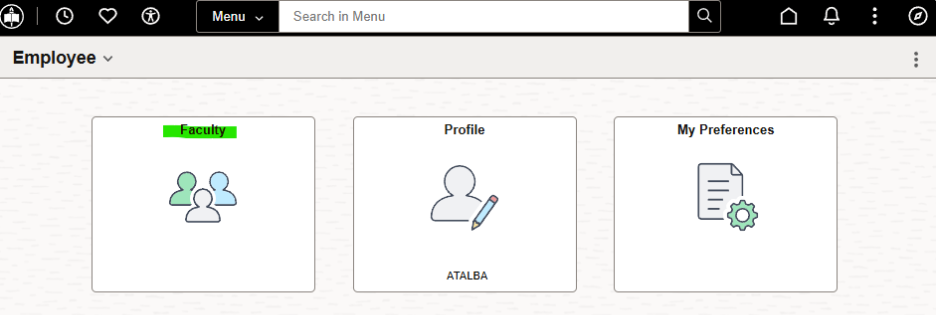
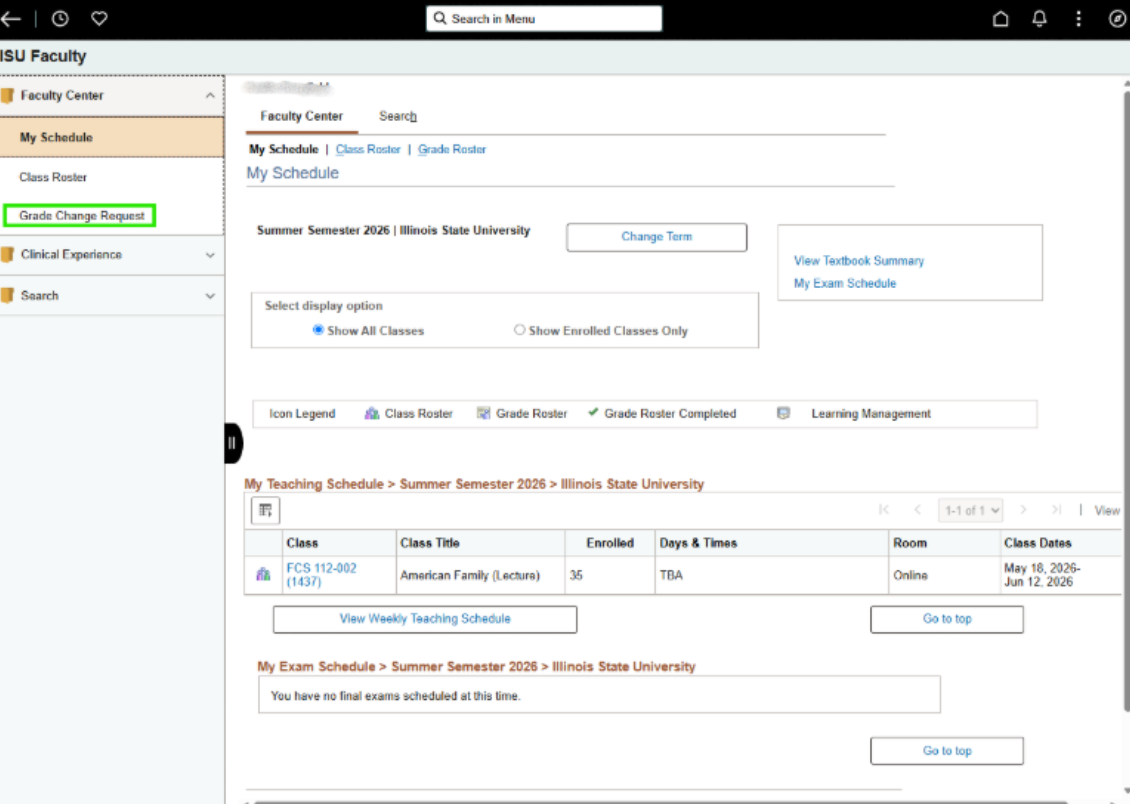
2. Select Grade Change Request from the left side menu.
- Note: Do not click Change Term. You will be prompted to select the desired Term in the next step.
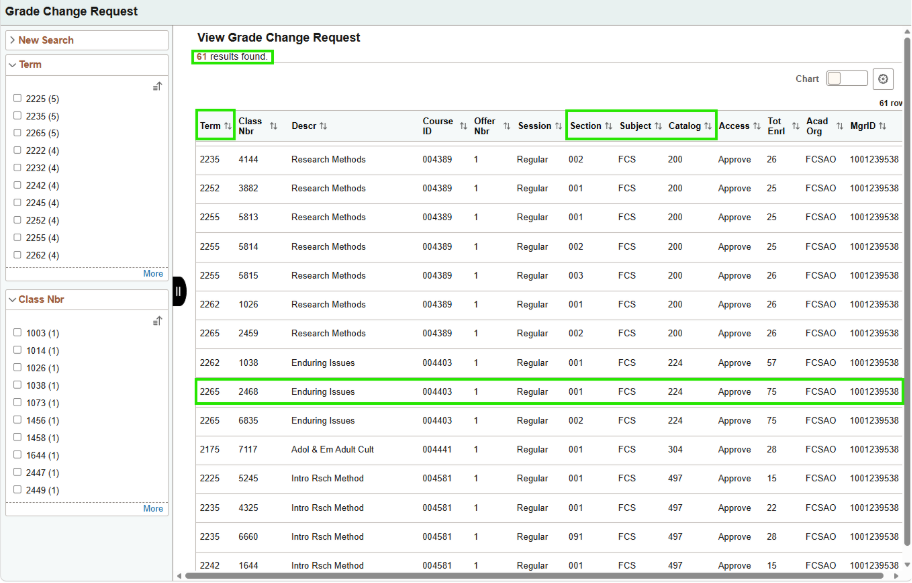
3. Without entering any search criteria, the results will display all classes you have taught across all available terms. You can either:
- Sort by Term, Subject, Catalog, or Section and select the appropriate class, or
- Use the left sidebar to filter results by Term and Class Number.
Click the desired class row to continue.
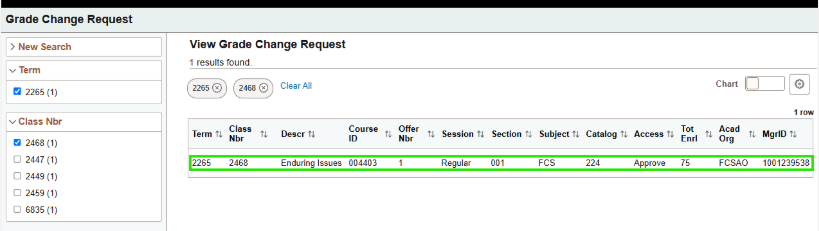
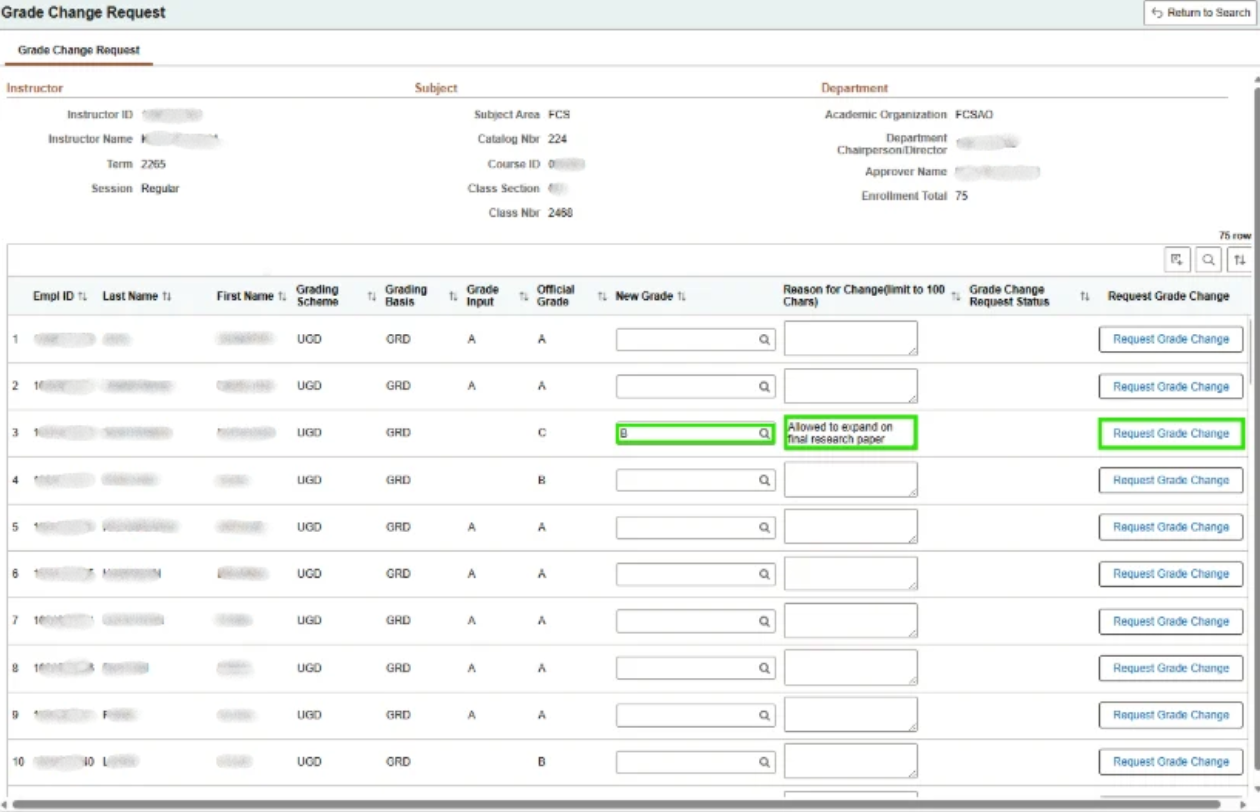
4. The Grade Change Request page is displayed for the class selected. Select the student for whom the grade change is being requested. The Instructor can select a New Grade (A-F), enter the Reason for Change, and click the Request Grade Change button on the right.
5. After submitting the request, the Grade Change Request Status displays Submitted in red
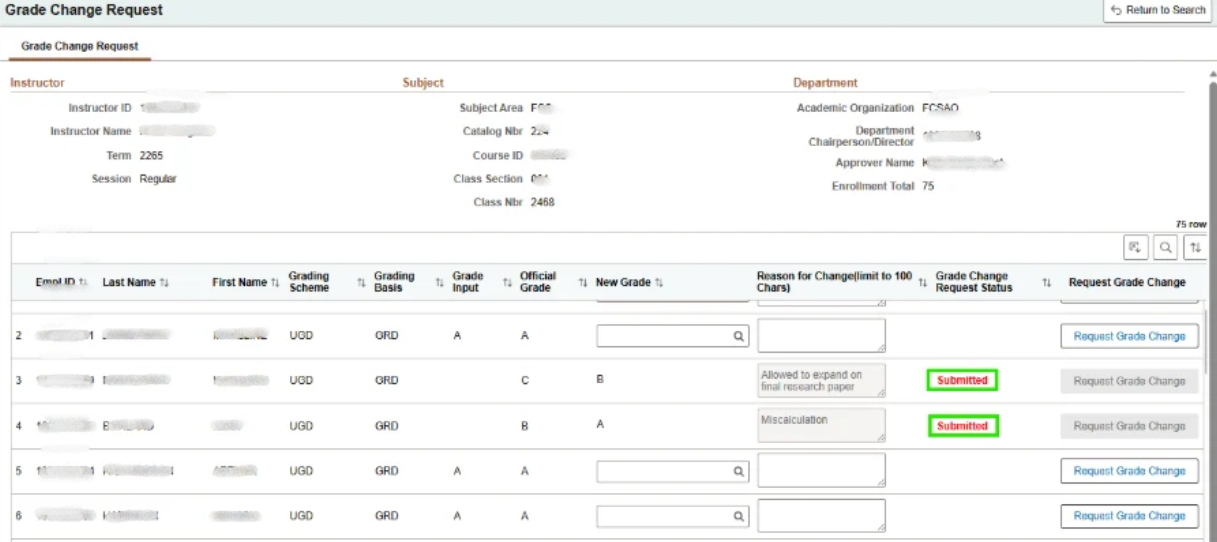
6. Your request will be sent to the Department/School Approver for review and decision.
- Department Approvers
Approvers may use this Grade Change Request Form. Follow the instructions below:
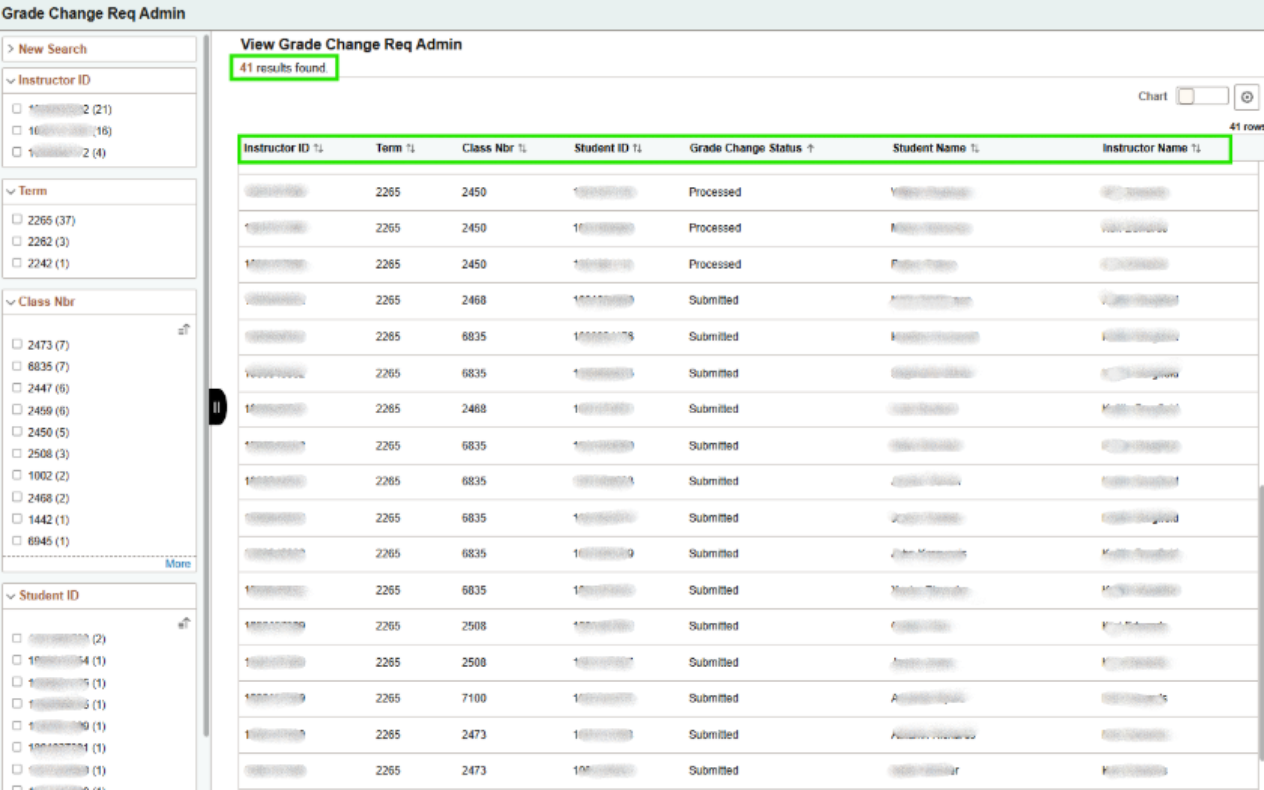
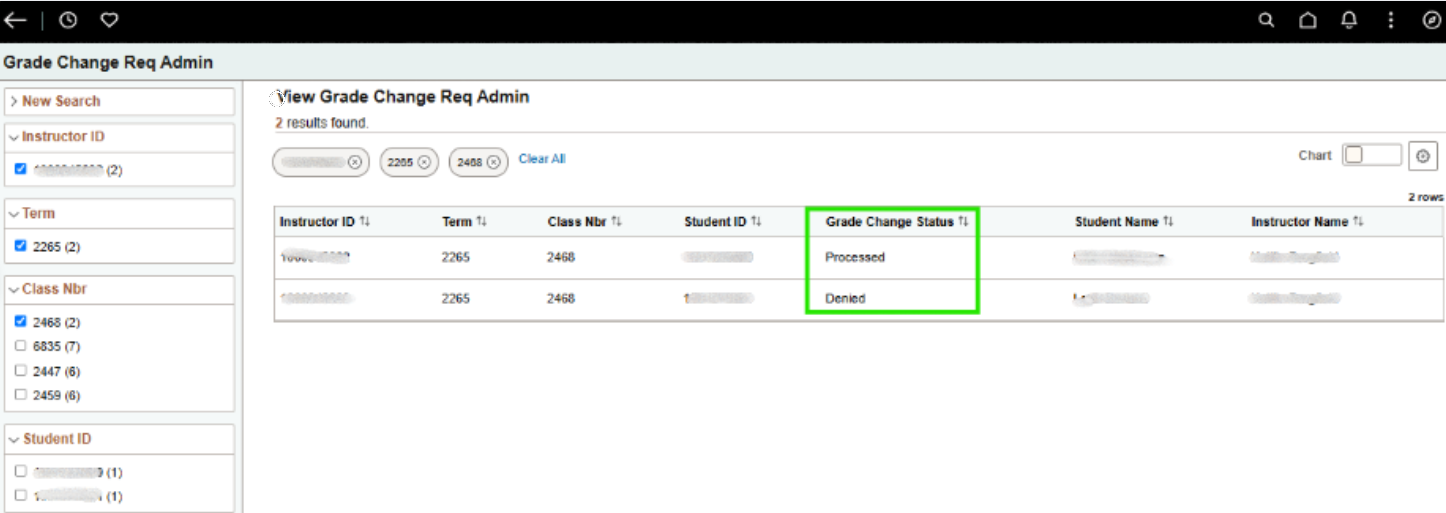
- In Campus Solutions, navigate to ISU Extensions > Records and Enrollment > Grading > Grade Change - Approver. This page displays all grade change requests submitted by instructors, including those with statuses of Submitted (by a Department Instructor), Processed (the grade has been changed), or Denied (the grade change was not approved). To locate a specific request, you can:
- Sort by any column, such as Student, Instructor, Class, or Grade Change Status, or
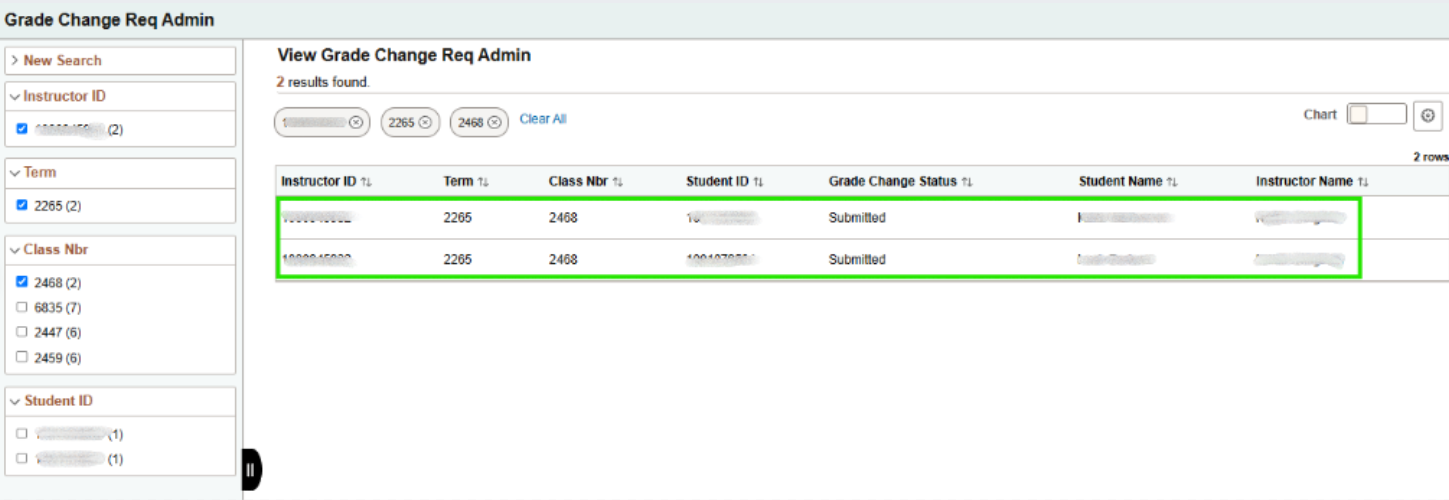
- Use the left sidebar to filter the results.
Click the appropriate student to review the Grade Change Request.
2. The Grade Change Request displays for the selected student. The Approver must click Approve or Deny. Denying the request requires the Approver to enter Admin's Comments.
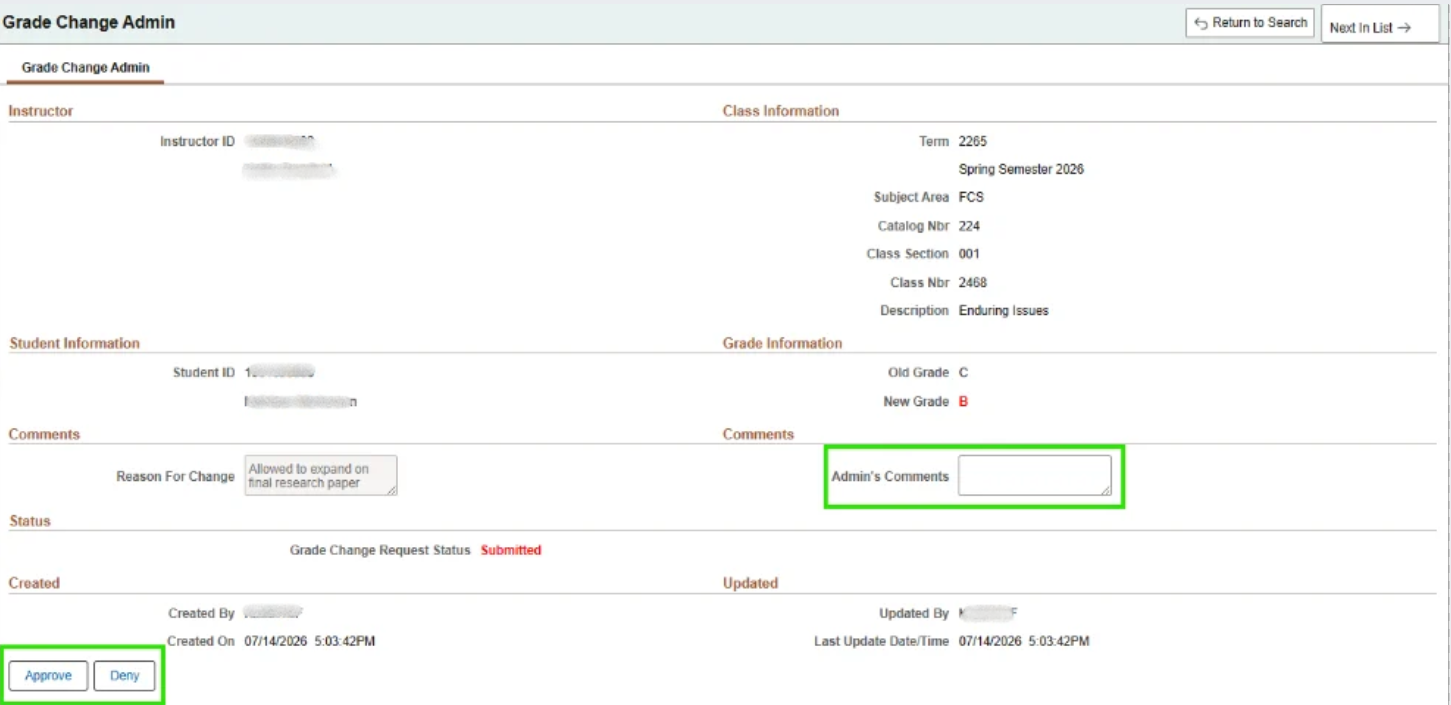
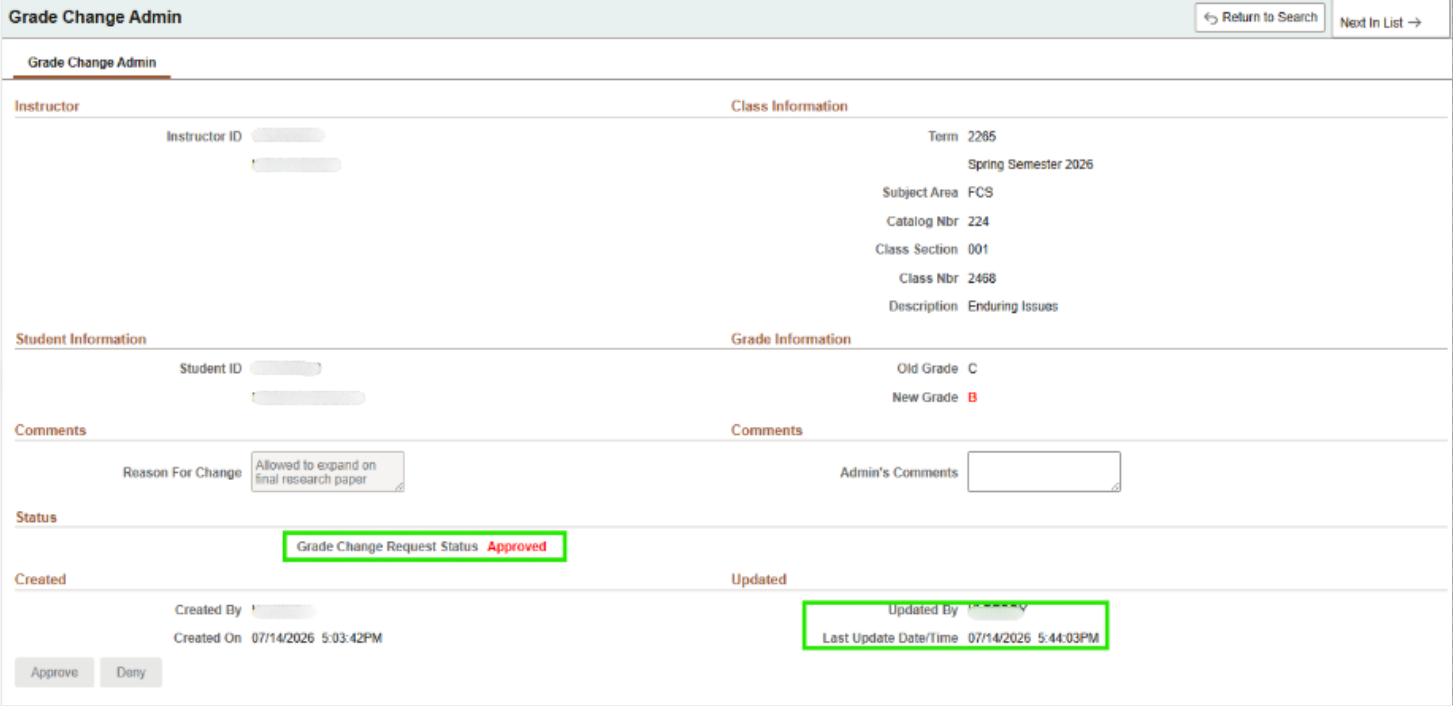
3. The Grade Change Request Status will update to Approved or Denied. The Updated section updates to the Approver’s ULID, date, and time. The Approver can move to the next or previous student in the list, or return to the Search results, using the navigation buttons in the upper-right corner.
4. If the Grade Change Request was approved, the grade will be changed in Campus Solutions and on the student’s record within 24 hours. The grade change process occurs overnight. Returning to the Grade Change Request - Admin page the following day, you will see the updated statuses.
Related articles
How to Get Help
If you have any questions about the form, contact the Registrar by calling (309) 438-2188 or emailing Registrar@IllinoisState.edu.
If you are having technical issues, contact the Illinois State University Technology Support Center:
- Phone: (309) 438-4357
- Email: SupportCenter@IllinoisState.edu
- Submit a Request via Web Form: Get IT Help Form
- Live Chat: IT Help Live Chat