Technology
Check Your Weekly Email Send Limit in Qualtrics
Last modified 5/1/2026
As a Qualtrics user, emails containing your survey link can be sent out directly from the Qualtrics site to potential respondents.
There is a default limit of five hundred emails that can be sent out per user per week. However, this limit can be increased by submitting a ticket with this request on the Get IT Help website.
Follow the steps below to determine your weekly email sending limit:
- Navigate to the Illinois State University Qualtrics site.
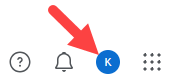
- Select your profile icon at the upper right of the screen.
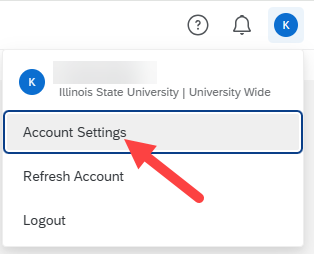
- In the dropdown menu that appears, select Account Settings.
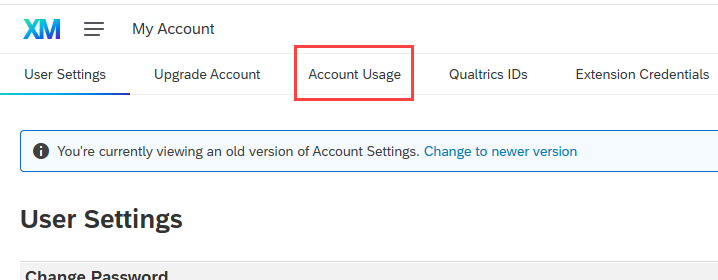
- On the "User Settings" page, click the Switch to older version link.

- Select the Account Usage tab.
- Your usage stats are displayed in the grid below the chart. View your outgoing email limit in the "Weekly Allowed Outgoing Emails" column.
In the example below, the number of emails that can be sent out through Qualtrics in one week is 500: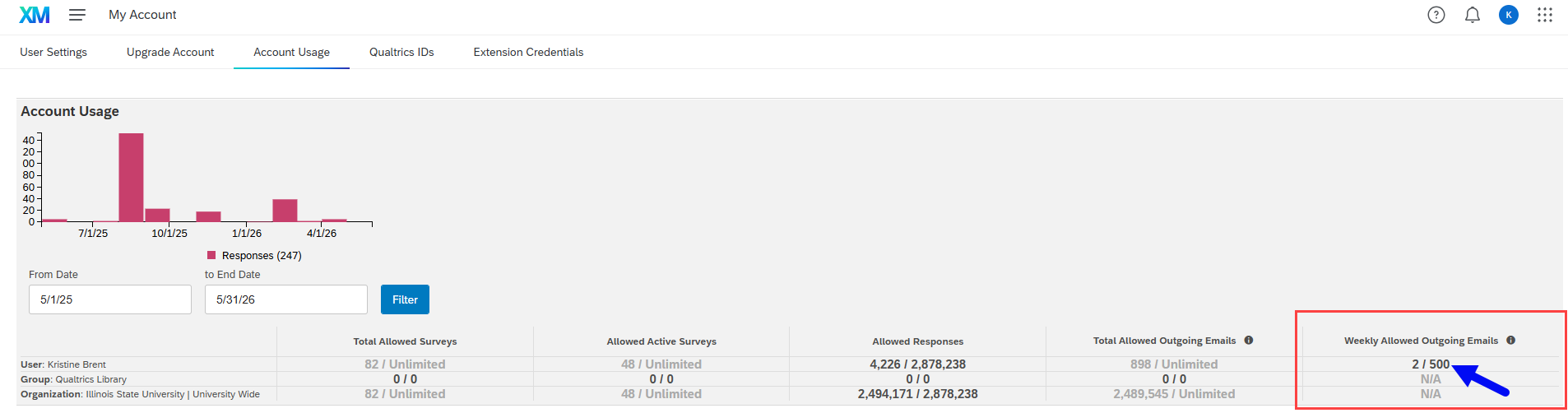
Feedback
To suggest an update to this article, ISU students, faculty, and staff should submit an Update Knowledge/Help Article request and all others should use the Get IT Help form.