Technology
StarRez Web Client Access
Last modified 6/4/2026
Illinois State University Housing staff with access may log in to the StarRez web client with their University ULID and password.
Log into StarRez Web Client:
- The StarRez web client can be accessed at StarRez Web.
- From the StarRez Sign-In pane, click on Illinois State Central Login (Figure 1).
Figure 1: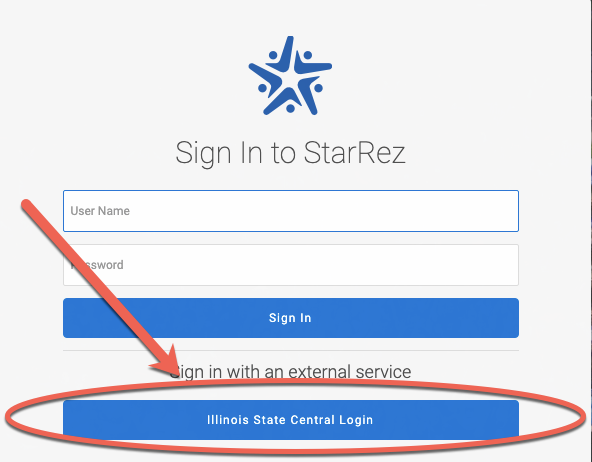
- Log in to StarRez via Central Login.
- For more information about Central Login at ISU, please refer to: Central Login
You will be directed to your StarRez portal.
Logging Out of StarRez
When logging out of StarRez, your single sign-on session will end. This can be done from the profile button in the upper-right of the StarRez web client dashboard.
Additional Information
How to Get Help
For Housing and Dining related inquiries, please contact University Housing Services.
Technical assistance is available through the Illinois State University Technology Support Center at:
- Phone: (309) 438-4357
- Email: SupportCenter@IllinoisState.edu
- Submit a Request via Web Form: Get IT Help Form
- Live Chat: IT Help Live Chat
Feedback
To suggest an update to this article, ISU students, faculty, and staff should submit an Update Knowledge/Help Article request and all others should use the Get IT Help form.