Technology
Make an Appointment with Your Advisor
Last modified 10/23/2026
You can make an appointment with your advisor through My.IllinoisState.edu. Your assigned advisors are listed in the Academics section.
Make an appointment
- Go to My Illinois State and sign in.
- Select the Academics tab.
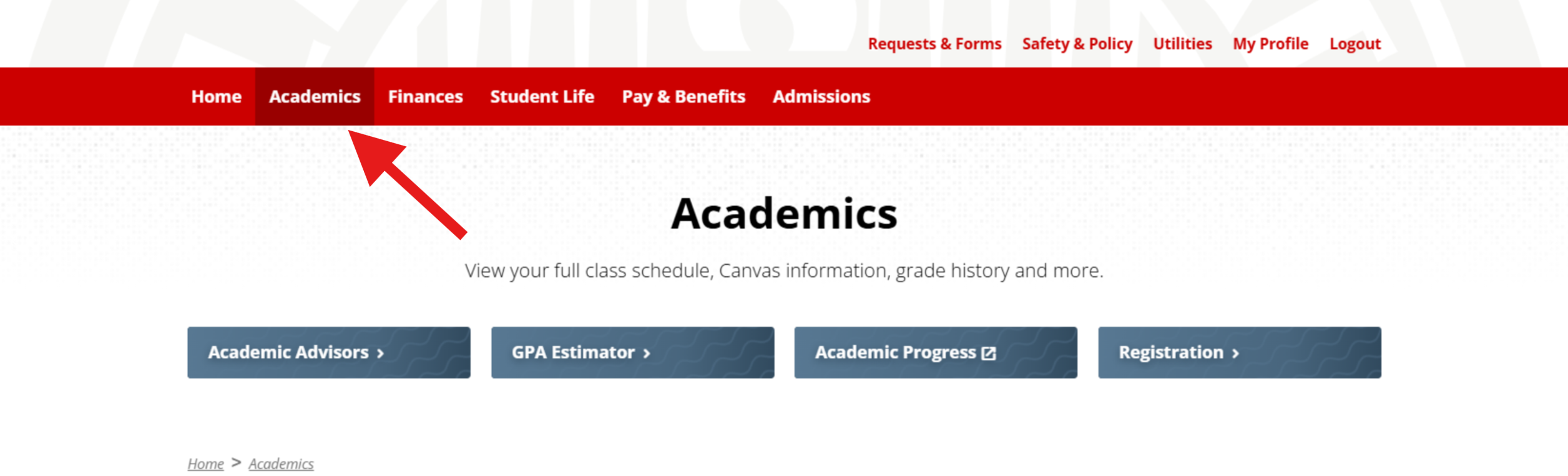
- Scroll down to the Advisor section.
- Find your primary Academic Advisor as shown below.
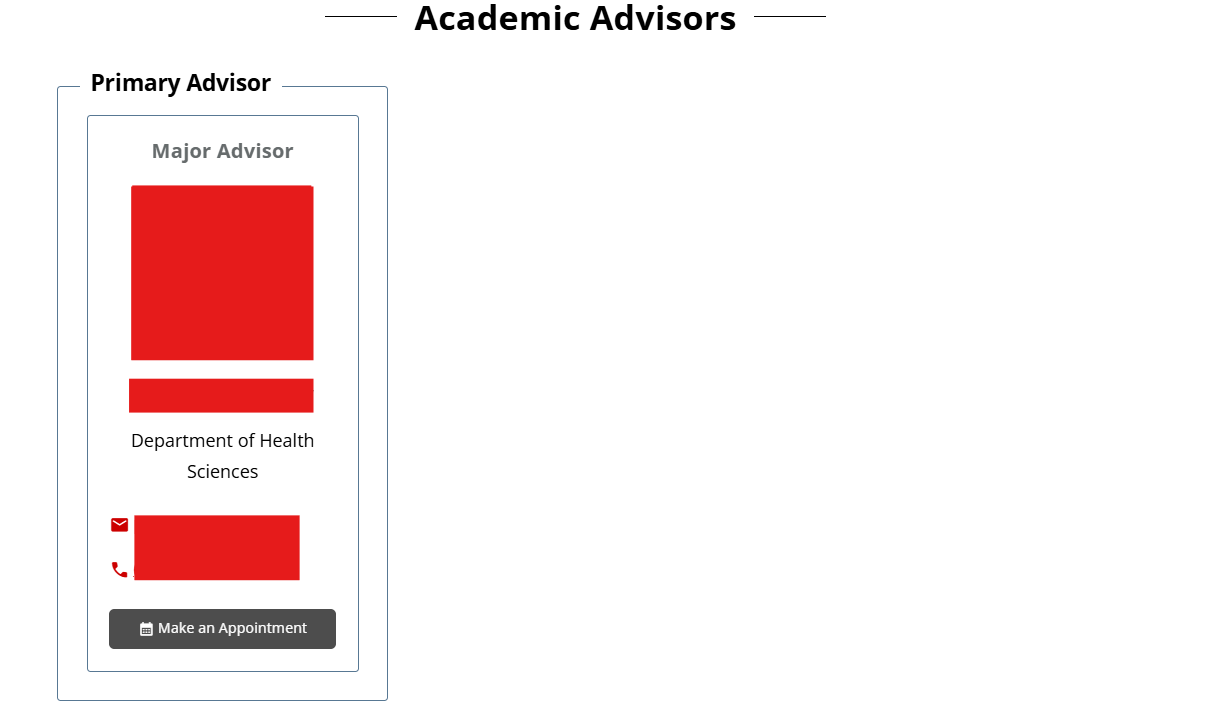
- Select View more members of my success team to see your assigned advisors.
Your success team may include several types of advisors, such as:- Primary advisor
- Career advisor
- Athletics advisor
- Financial advisor
- Other advisors assigned to you
- Find the advisor you want to meet with.
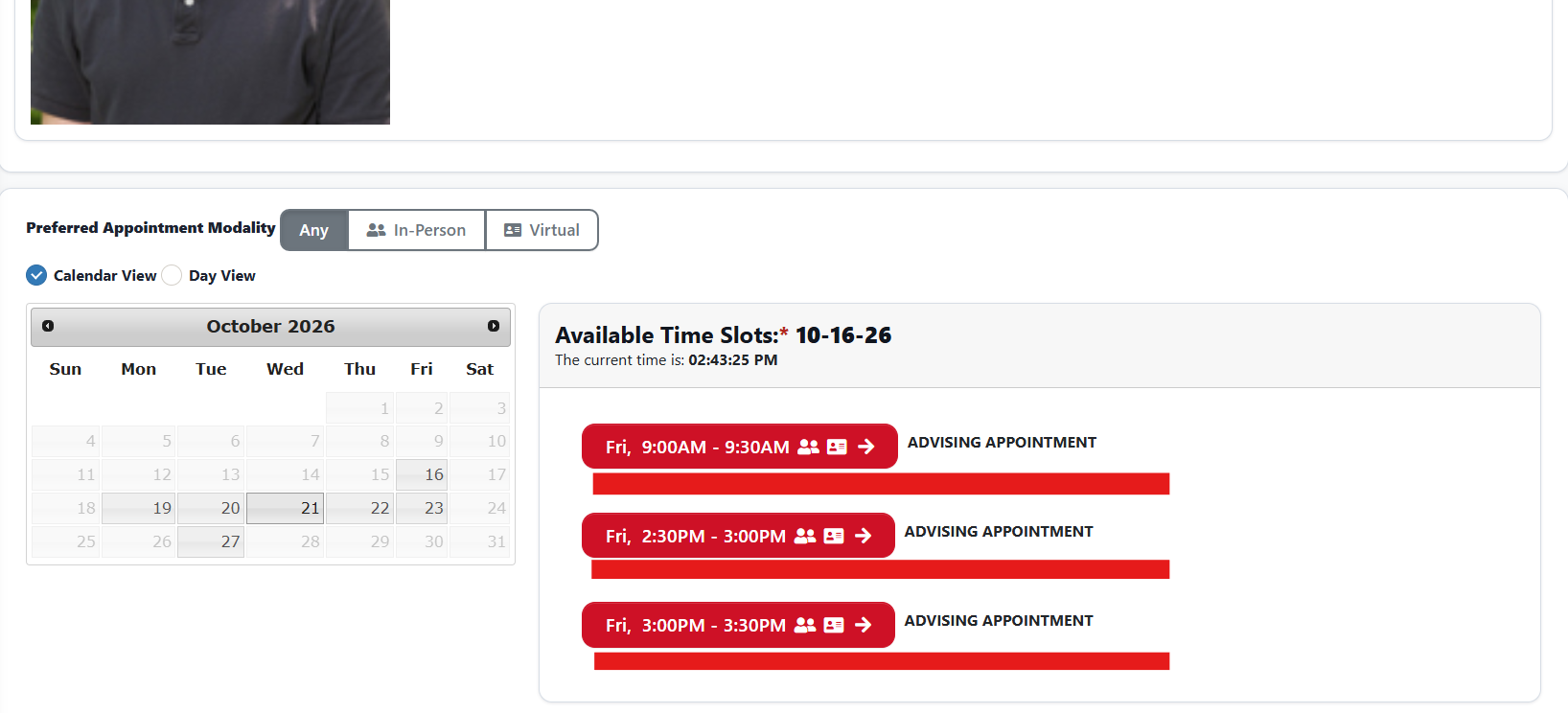
- Select Make Appointment.
- Select an available time.
- If prompted to sign in, enter your Illinois State email address in the format ULID@ilstu.edu
Do not enter your University ID number (UID), in place of your ULID.
- Complete the required appointment information.
- Select Submit Reservation.
You should receive a confirmation email at your Illinois State email address after you submit the appointment.
How to Get Help
Technical assistance is available through the Illinois State University Technology Support Center at:
- Phone: (309) 438-4357
- Email: SupportCenter@IllinoisState.edu
- Submit a Request via Web Form: Get IT Help Form
- Live Chat: IT Help Live Chat
Feedback
To suggest an update to this article, ISU students, faculty, and staff should submit an Update Knowledge/Help Article request and all others should use the Get IT Help form.