Technology
Windows 11 - Changing the Desktop Wallpaper
Last modified 4/24/2026
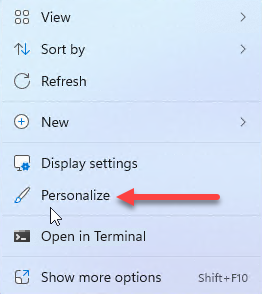
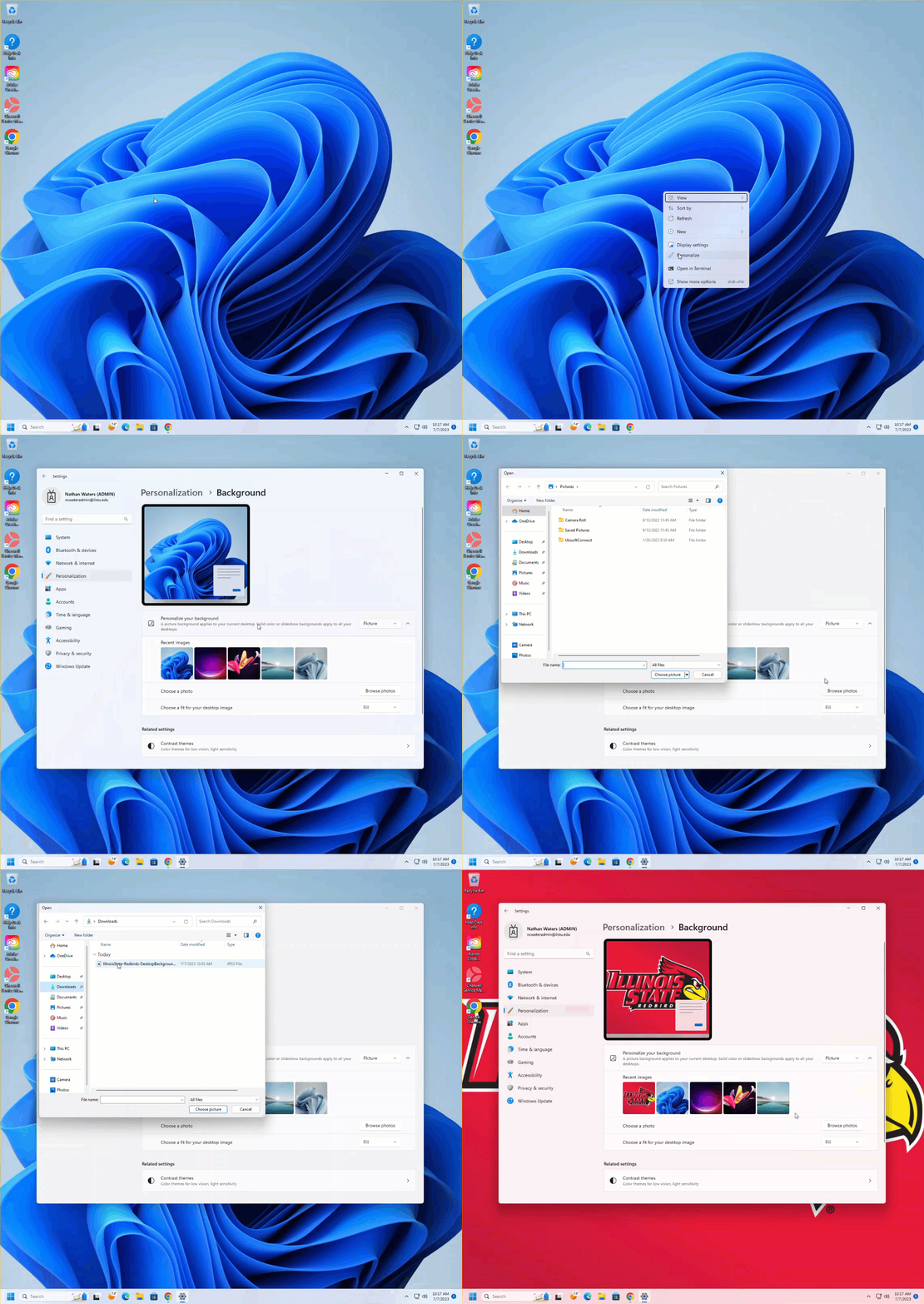
To change the desktop wallpaper right click the desktop and select Personalize.
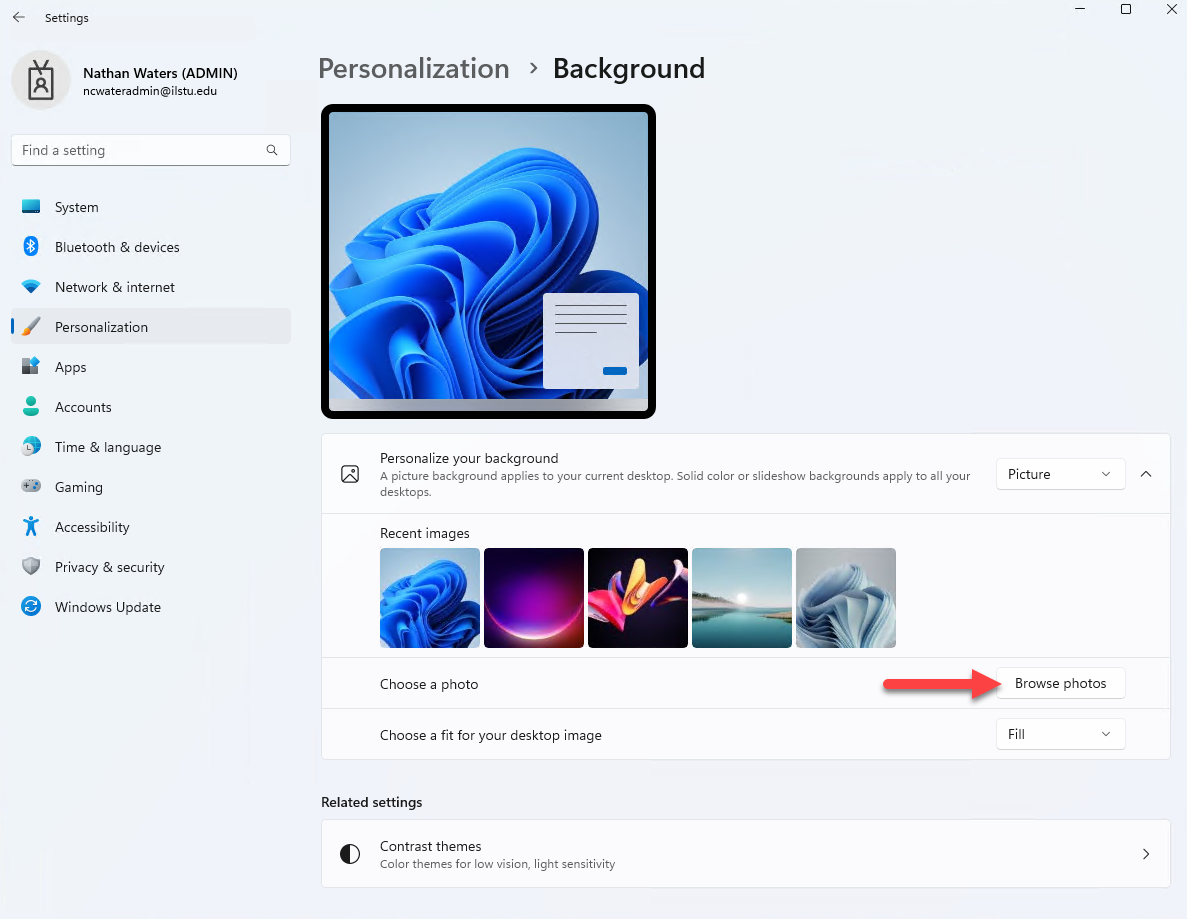
Click Personalize Your Background then Browse Photos if you have an image downloaded.
Here you can choose a preset Windows 11 background or choose a photo that you have downloaded.
Change Wallpaper
How to Get Help
Technical assistance is available through the Illinois State University Technology Support Center at:
- Phone: (309) 438-4357
- Email: SupportCenter@IllinoisState.edu
- Submit a Request via Web Form: Get IT Help Form
- Live Chat: IT Help Live Chat
Feedback
To suggest an update to this article, ISU students, faculty, and staff should submit an Update Knowledge/Help Article request and all others should use the Get IT Help form.