Technology
Canvas Roles Permissions
Last modified 5/11/2026
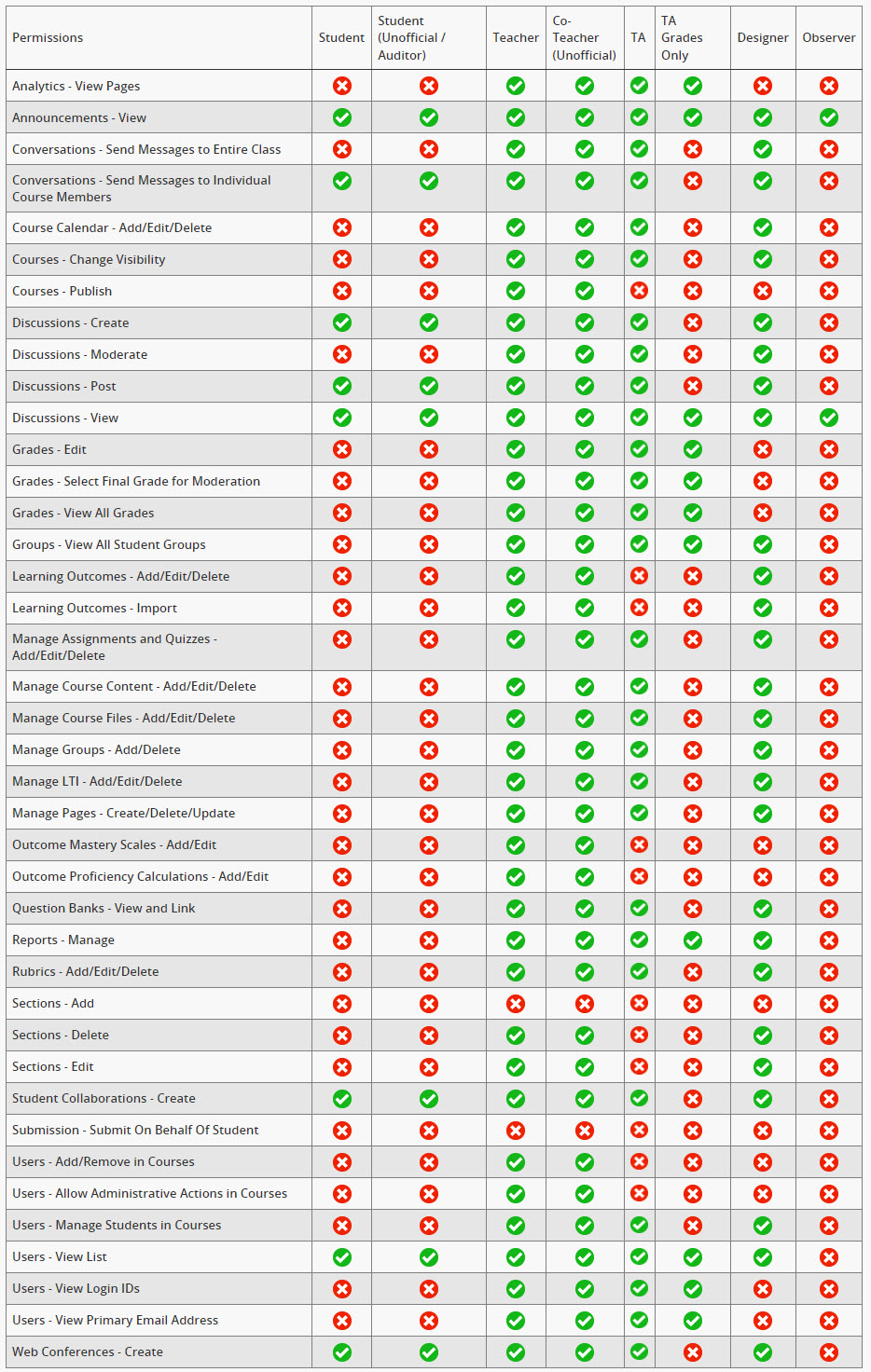
When adding a participant (user) to your Canvas course, you will be asked to assign that user a role. There are several roles available in Illinois State's instance of Canvas, and each role has different permissions. This table lists the roles and the permissions associated with each. A green check mark indicates that the permission is enabled, while a red X indicates that the permission is disabled.
To learn how to change participant roles, please consult this help guide.
Feedback
To suggest an update to this article, ISU students, faculty, and staff should submit an Update Knowledge/Help Article request and all others should use the Get IT Help form.