Technology
TimeClock Plus - Disabling Schedule Enforcement
Last modified 6/13/2025
In Time Clock Plus (or TCP), Schedule Enforcement is a feature that prevents employees from clocking in or out outside of their scheduled work hours. Disabling Schedule Enforcement allows employees to clock in or out regardless of whether they are within their scheduled shifts. Below are the steps required to disable schedule enforcement
1) Go to Employee > Employee Profiles after logging in to TCP for Managers after clicking the hamburger menu icon in the top left of TCP (Figure 1)
Figure 1: (Navigating to Employee Profiles)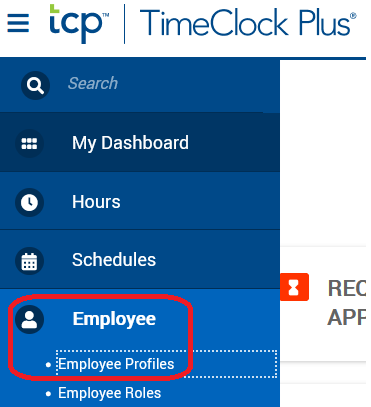
2) Find the employee and click on their name to bring up their TCP Employee Profile
3) Navigate to the "Exceptions" tab > "Schedule" section (Figure 2)
Figure 2: (Navigating your Employees TCP Profile schedule)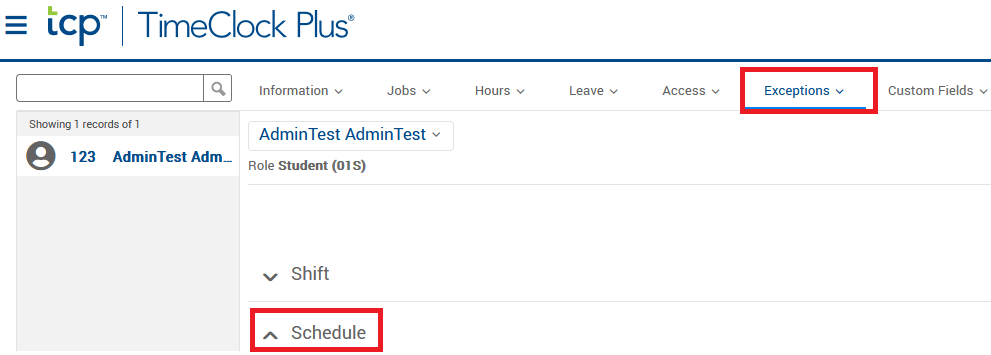
4) Uncheck the "Override role settings" box within the Schedule section (Figure 3)
Figure 3: (uncheck "override role settings")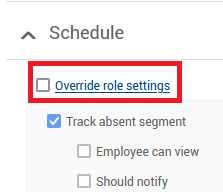
NOTE: Unchecking the Override role settings option should work in the majority of employee roles, but some roles may have schedule enforcement enabled by default. In such cases, you may need to also uncheck the "Restrict on clock operation" under the "Track early clock out outside" and "Track late clock in outside" sections under the Schedule header.
5) Press Save on the right hand side of the screen while still within the Exceptions section of the Employees TCP Profile (Figure 4)
Figure 4: (saving all made changes)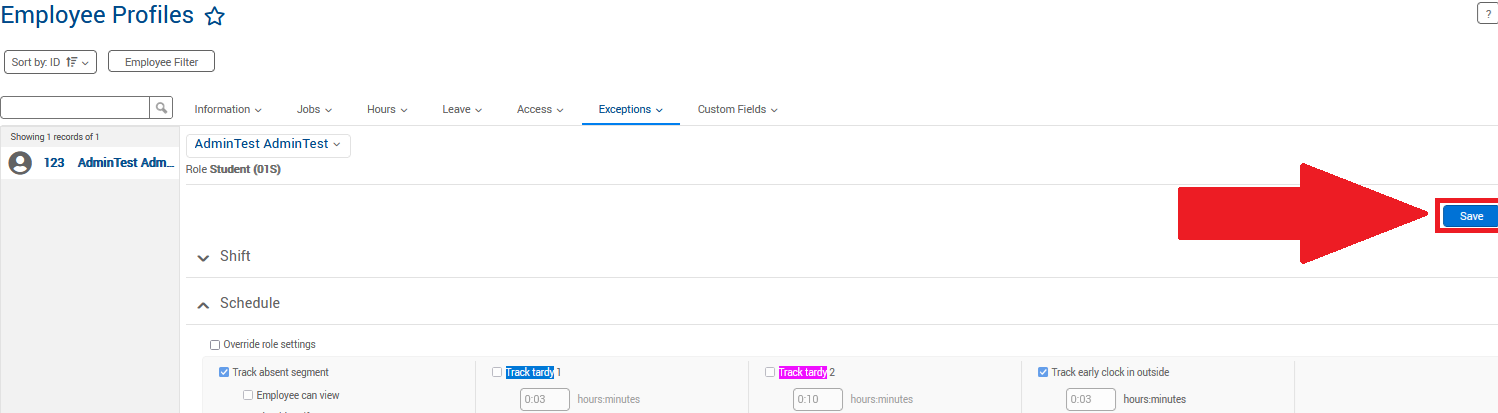
Feedback
To suggest an update to this article, ISU students, faculty, and staff should submit an Update Knowledge/Help Article request and all others should use the Get IT Help form.