Technology
Approve Email Sent to a Moderated Listserv
All listserv lists at Illinois State University are required to be moderated, effective September 3rd, 2025. This means that one or more persons will need to review and approve any email sent to their listserv before the message will be forwarded to the listserv subscriber list. Only messages sent to the listserv by the listserv Editor will not require approval; all others will.
- What a Sender Sees
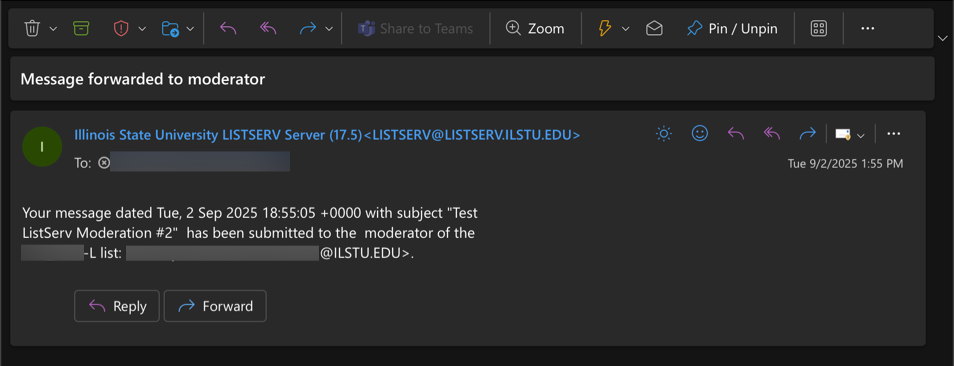
When someone sends an email to a listserv address, they will receive an automated response stating that their message has been sent to the listserv moderator for approval (Figure 1):
Figure 1:
- What the Moderator(s) See
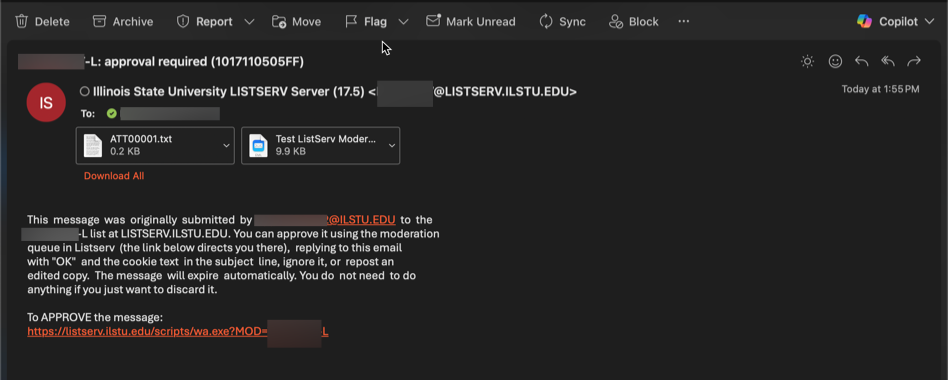
When a message has been sent to a listserv address, the moderator(s) will receive an email alert informing them that there is an email awaiting their review and/approval (Figure 1):
Approving an Email to a Listserv
Listserv moderators may approve an email sent to their listserv by either clicking the link in the approval notification (as shown in the above section) or by replying to the approval email. Instructions for both methods are below:
- Approve an Email Via the Link
To approve an email to a listserv via the link provided in the approval email:
- Click on the link (Figure 1):
Figure 1: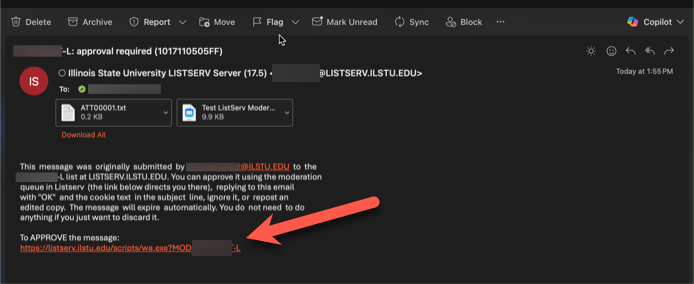
- If prompted, log in to the Listserv portal with your ISU email address and password.
- In the Listserv portal, you will see any message(s) awaiting approval. Click on the message to review it (Figure 2):
Figure2: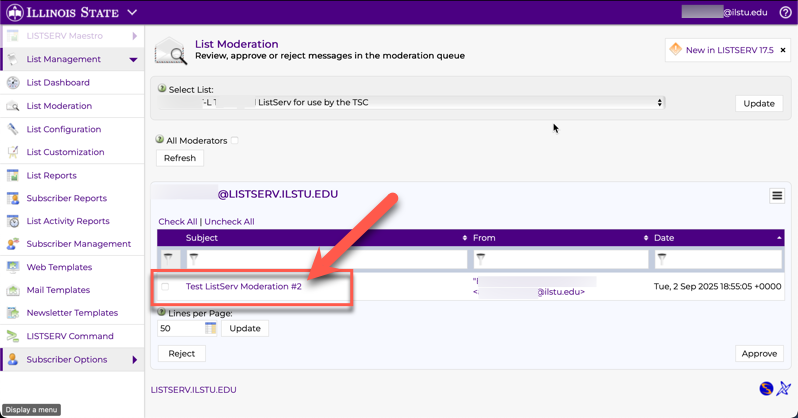
- Once you have reviewed the message, you may select to either Approve, or to Reject the message (Figure 3). Clicking Approve will allow the message to be forwarded to all listserv subscribers. Clicking Reject will prevent delivery to the listserv subscribers.
Figure 3: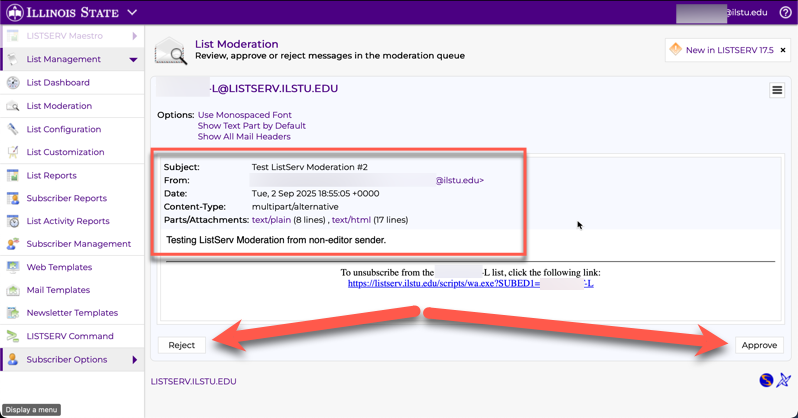
- If approved you will see a messages stating that, and you will no longer see the message in the portal (Figure 4):
Figure 4: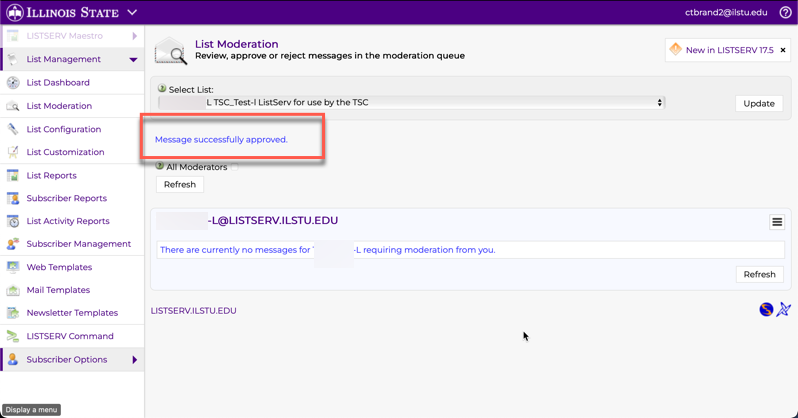
- Approve an Email by Replying to the Email
Moderators may alternately choose to approve an email to their listserv by replying "OK to the approval email. See screenshots below:
- To review the message, click to open the attachment (Figure 1). After reviewing the message, close the message window and return to the original approval notification.
Figure 1: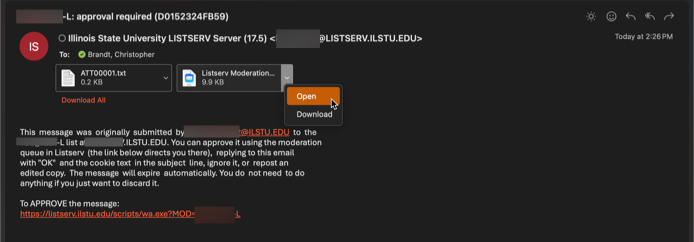
- Reply "OK" to the approval email (Figure 2):
Figure 2: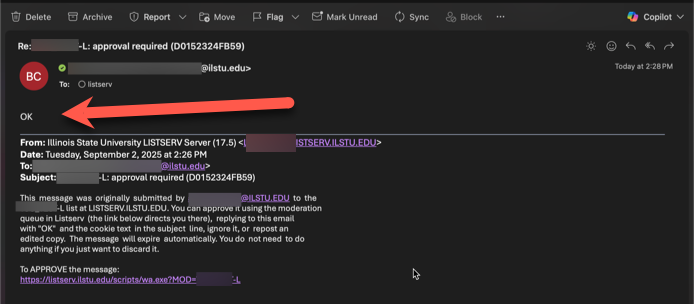
- Moderator receives confirmation message of the approval (Figure 3):
Figure 3: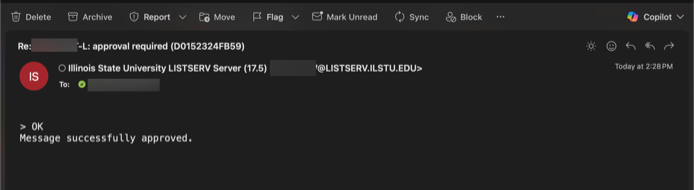
- The message is sent to the listserv subscribers (Figure 4):
Figure 4: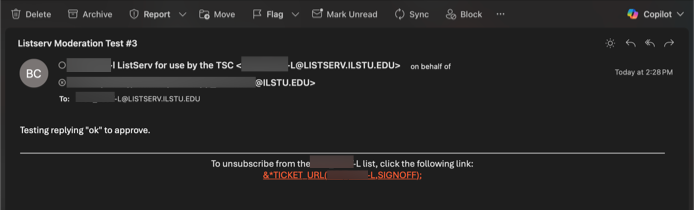
If you do not wish to approve a message sent to your listserv, you may also simply ignore it. The message will eventually expire if not approved.
Additional Information:
How to Get Help
Technical assistance is available through the Illinois State University Technology Support Center at:
- Phone: (309) 438-4357
- Email: SupportCenter@IllinoisState.edu
- Submit a Request via Web Form: Get IT Help Form
- Live Chat: IT Help Live Chat