Technology
How to Share a Badge in Canvas Redbirds Elevate
There are a couple of ways that you can share your badge. You will most likely share your badge through a backpack, but you can also share it upon completion of your course.
- Share your badge through your course
- After completing your course, select Credentials from the side menu.
- Select your badge
- Select Share (Image 1)
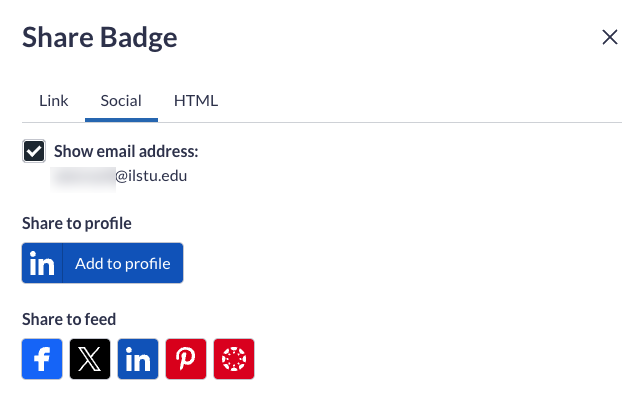
- Next choose how you want to share your badge (Image 2)
- Link: select the link to copy and paste it somewhere you want to share.
- Social: select one of the social media outlets you have an account for that you want to share
- HTML: copy the HTML code to embed your badge on a site.
- You have shared your badge!
Image 1:
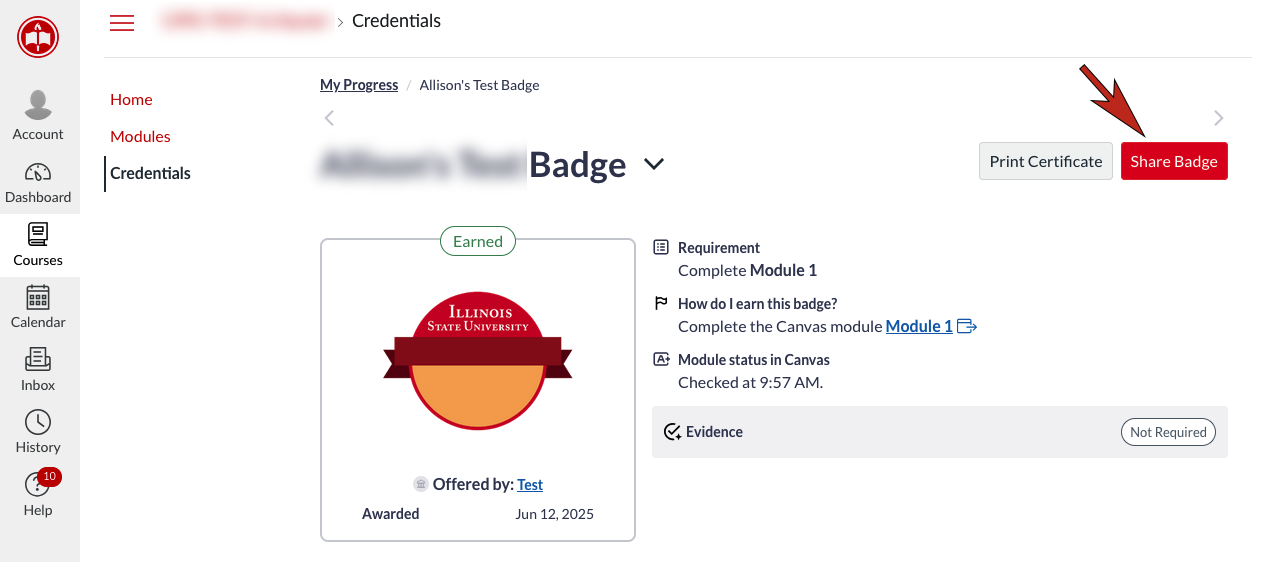
Image 2:
- Share your badge from your backpack
- Login to IllinoisState.Badgr.com/
- Select Backpack
- Select Badges
- Select the Badge you want to share
- Select Share
- Select Share (Image 1)
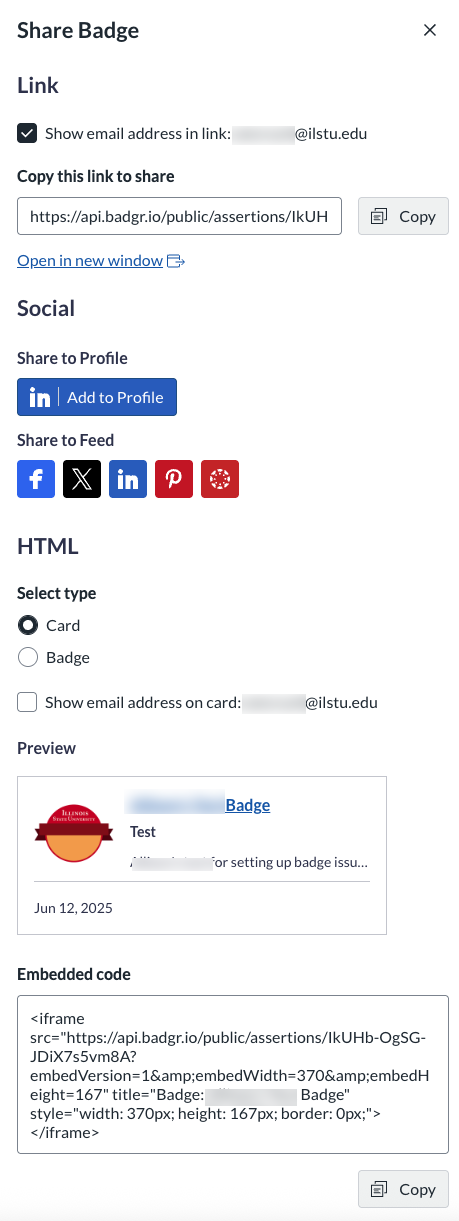
- Next choose how you want to share your badge (Image 2)
- Link: select the link to copy and paste it somewhere you want to share.
- Social: select one of the social media outlets you have an account for that you want to share
- HTML: copy the HTML code to embed your badge on a site.
- You have shared your badge!
Image 1
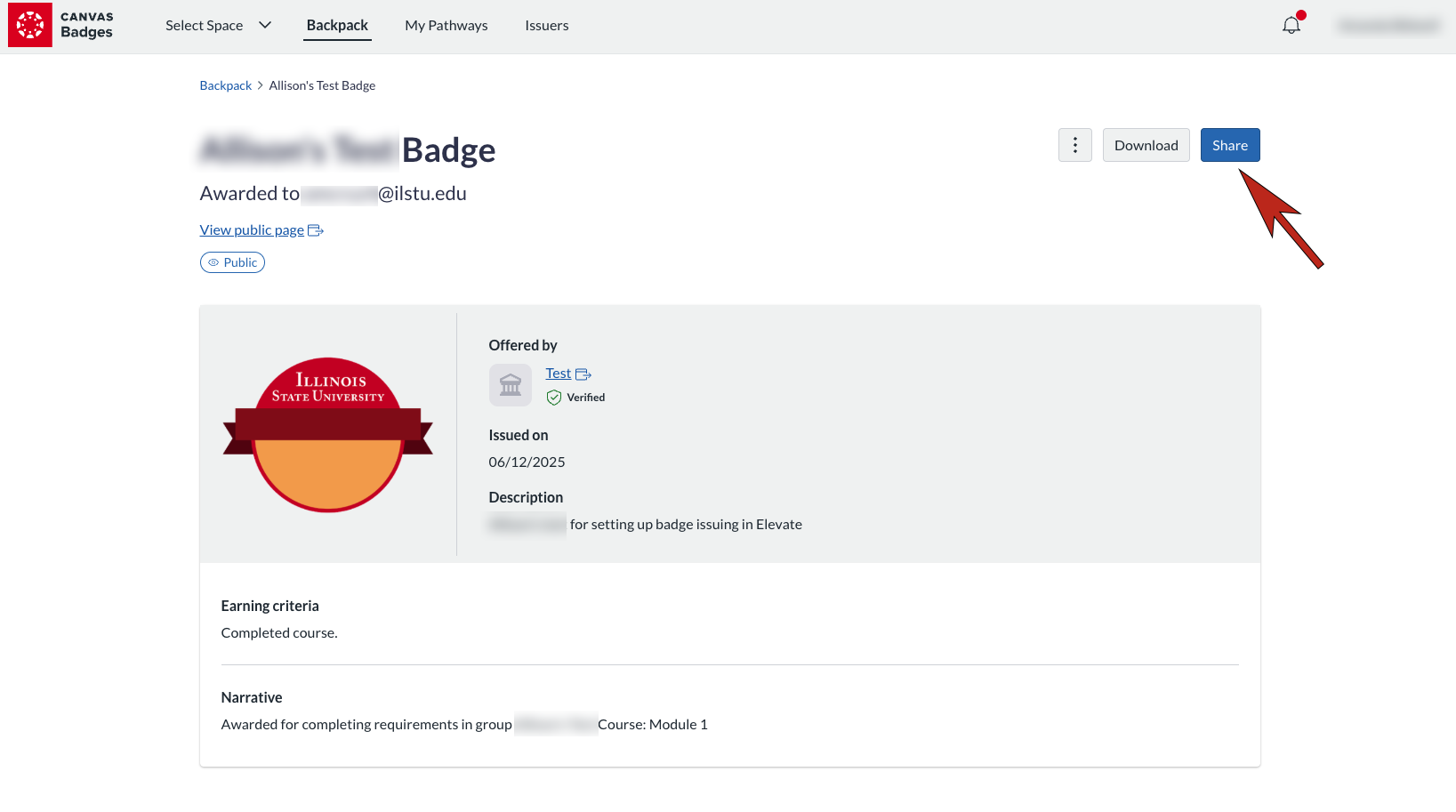
Image 2
How to Get Help
Technical assistance is available through the Illinois State University Technology Support Center at:
- Phone: (309) 438-4357
- Email: SupportCenter@IllinoisState.edu
- Submit a Request via Web Form: Help.IllinoisState.edu/get-it-help
- Live Chat: Help.IllinoisState.edu/get-it-help