Technology
DesignPLUS Sidebar
Cidi Labs is implementing a new feature in Canvas, the DesignPLUS Sidebar. The DesignPLUS Sidebar is a complex tool that allows users to create and style content in Canvas without needing to know HTML or CSS.
NOTE: Due to the complexity of the Sidebar tool, if you make a mistake or need to restart, you will likely have to delete your content. Please do not use the DesignPLUS Sidebar unless you have familiarized yourself with it via guides and/or training and are very comfortable with the tool.
Below is more information about how to access, navigate, and use the DesignPLUS Sidebar.
DesignPLUS Sidebar Guides
There are many guides and tutorials for using DesignPLUS Sidebar, but we have curated a list of the most pertinent guides for getting started with DesignPLUS Sidebar as an instructor. We recommend moving through the list as outlined below unless you are already very familiar with this tool.
Meet the DesignPLUS Suite
Visit the guides below to get familiarized with the DesignPLUS Suite and Sidebar.
- Meet the DesignPlus Suite: DesignPLUS Sidebar Guide for New Users (instructure.com)
- DesignPLUS Sidebar: Introduction - Video Hub (cidilabs.com)
Access the DesignPLUS Sidebar
If the Sidebar is not enabled in your Canvas, you can enable it by following the steps below:
- Open any Canvas course.
- Navigate to any page, assignment, quiz, announcement, or discussion topic.
- Click Edit.
- While in edit mode, use one of the keyboard shortcuts:
- Windows: Ctrl-1 or Alt-Shift-d
- Mac: control-1 or option-shift-d
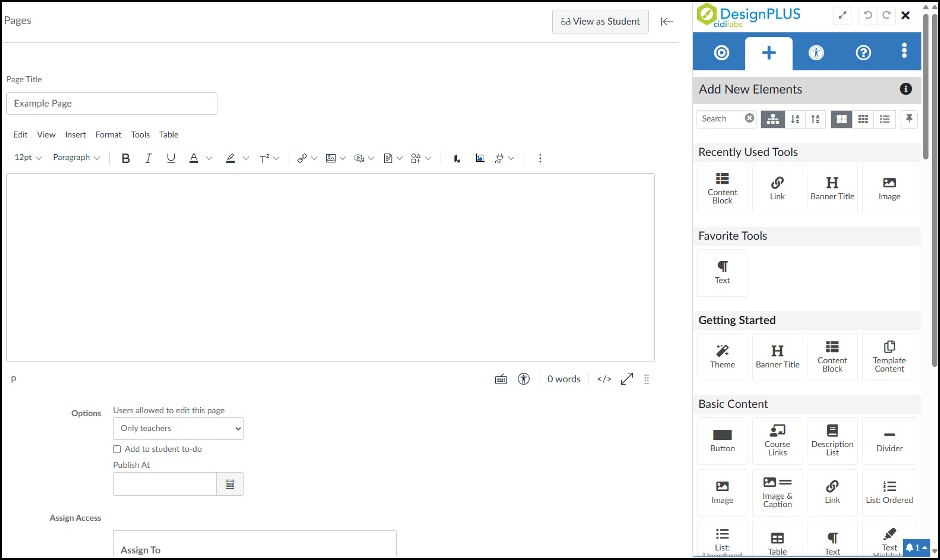
- The Sidebar will remain visible until you dismiss it by clicking the X icon in the upper-right corner or exit the page.
Figure 1: (Image of DesignPLUS Sidebar after using a keyboard shortcut to open it)
Keep the DesignPlus Sidebar Enabled
The guide below has directions for how to keep the DesignPLUS Sidebar enabled via user settings.
Use the Sidebar Interface
The IU Instructure page below explains how to use the tools and features located in the DesignPLUS Sidebar interface.
Watch Training Videos through Cidi Labs
Cidi Labs has a great selection of training videos covering making a Basic Page and Home Page, styling existing content, building for accessibility and usability, using templates, and using elements and resources:
- DesignPlus Sidebar: Creating a Basic Page. (13:45)
- DesignPlus Sidebar: Creating a Home Page. (11:23)
- DesignPlus Sidebar: Styling Existing Content. (11:29)
- DesignPlus Sidebar: Accessibility and Usability. (15:49)
- DesignPlus Sidebar: Using Templates. (4:39)
- DesignPlus Sidebar: Elements and Resources. (7:21)