Technology
Adobe Express
Adobe Express is a web-based creative application that allows users to quickly create graphics, presentations, flyers, social media content, videos, PDFs, and other visual content using templates or different design tools. Adobe Express also provides basic PDF viewing, commenting, form filling, and electronic signature capabilities.
Who can Access Adobe Express?
All current Illinois State University faculty, staff, graduate assistants, and students automatically receive access to Adobe Express free edition using their Illinois State University account.
Adobe Express is intended for users who need:
- Basic graphic design and content creation tools
- Professionally designed templates
- Presentation and document creation tools
- Social media and marketing content creation
- Standard PDF functionality
Users who require additional Adobe applications or advanced PDF features may need a different Adobe license
- For Advanced PDF Editing Features
Such as PDF text or images, converting files, OCR, redaction, or password protection, you may need an Adobe Acrobat Pro license.
- For Adobe Desktop Applications
Such as Photoshop, Illustrator, Premiere Pro, After Effects, or InDesign, you may need an Adobe Creative Cloud for Enterprise license.
For more information about available Adobe licenses and determining which license best meets your needs, refer to:
Which Adobe License do I need?
What Can I Create with Adobe Express?
Adobe Express provides tools and templates to help users quick create visual content for academic, professional, and personal projects.
Examples of content you can create include:
- Presentations
- Flyers and posters
- Social media graphics
- Newsletters
- Event invitations
- Infographics
- Videos and animations
- Resumes
- Classroom materials
- Marketing materials
- PDF documents
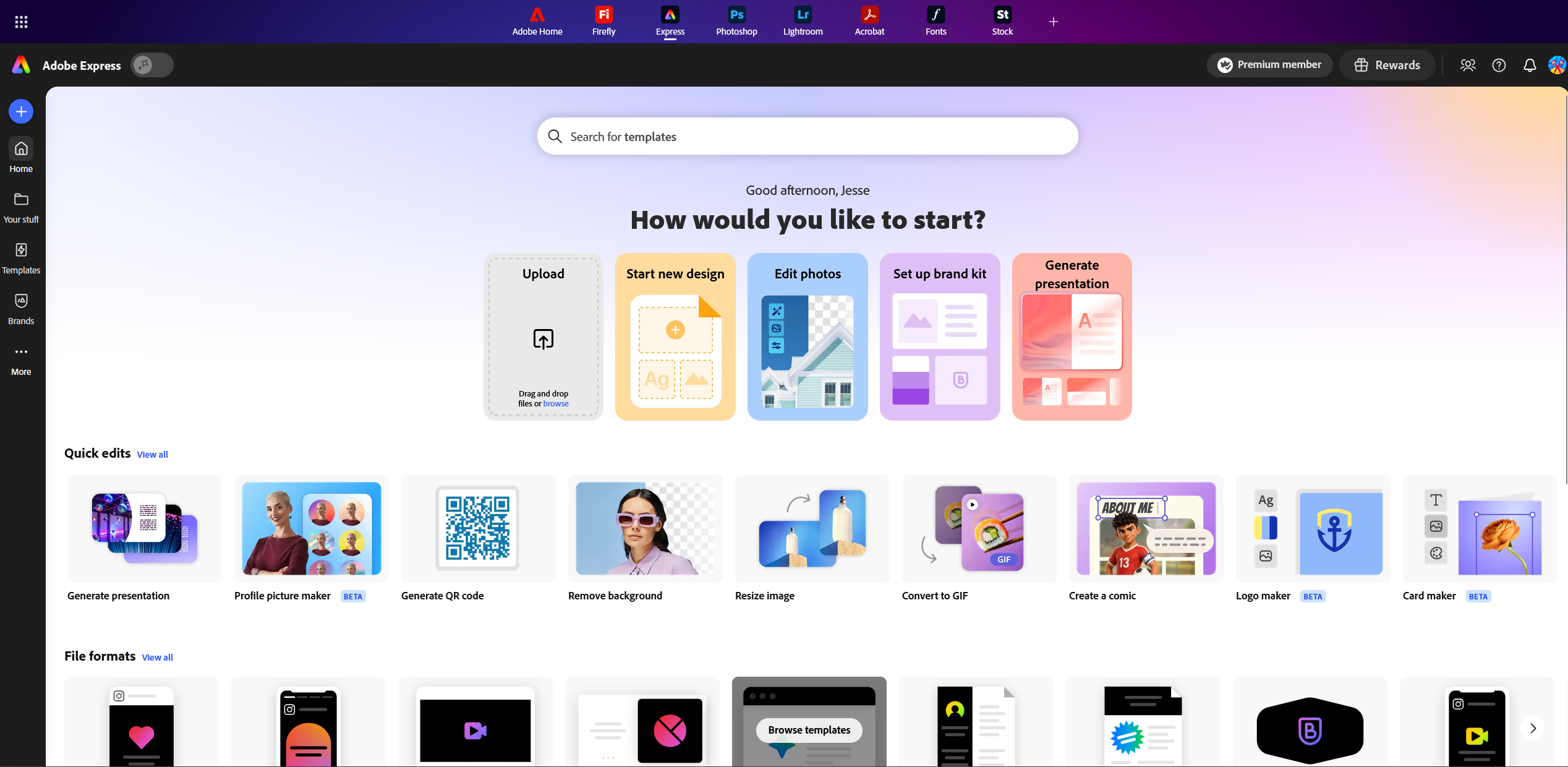
Adobe Express includes thousands of professionally designed templates that can be customized with your own text and images.
Adobe Express Features
Adobe Express includes features designed to make content creation accessible and simple.
- Templates
Adobe Express includes customizable templates for common projects, including:
- Presentations
- Flyers and posters
- Social media graphics
- Videos
- Invitations
- Newsletters
- Resumes
- Documents
Templates can be modified with your own text, images, colors, and design elements once selected.
- Adobe Express Editor
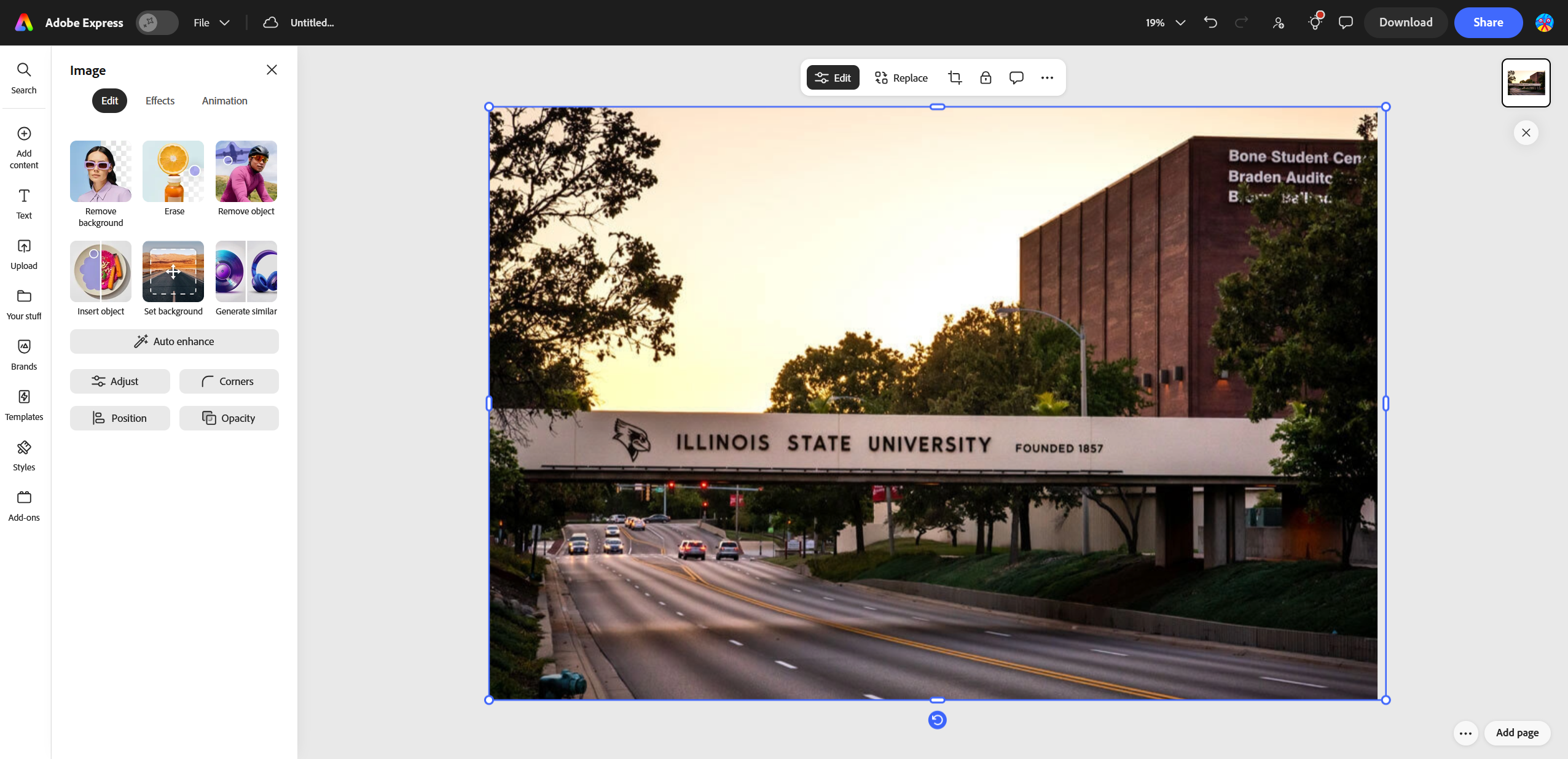
The Adobe Express editor allows you to customize projects by:
- Add and format text
- Upload and edit images
- Adjust layouts, colors, and design elements
- Crop, resize, and adjust images
- Remove image backgrounds
- Apply filters, effects, and animations
- Add graphics, icons, and other visual elements
- Edit videos and add audio
- Resize projects for different formats
- PDF Features
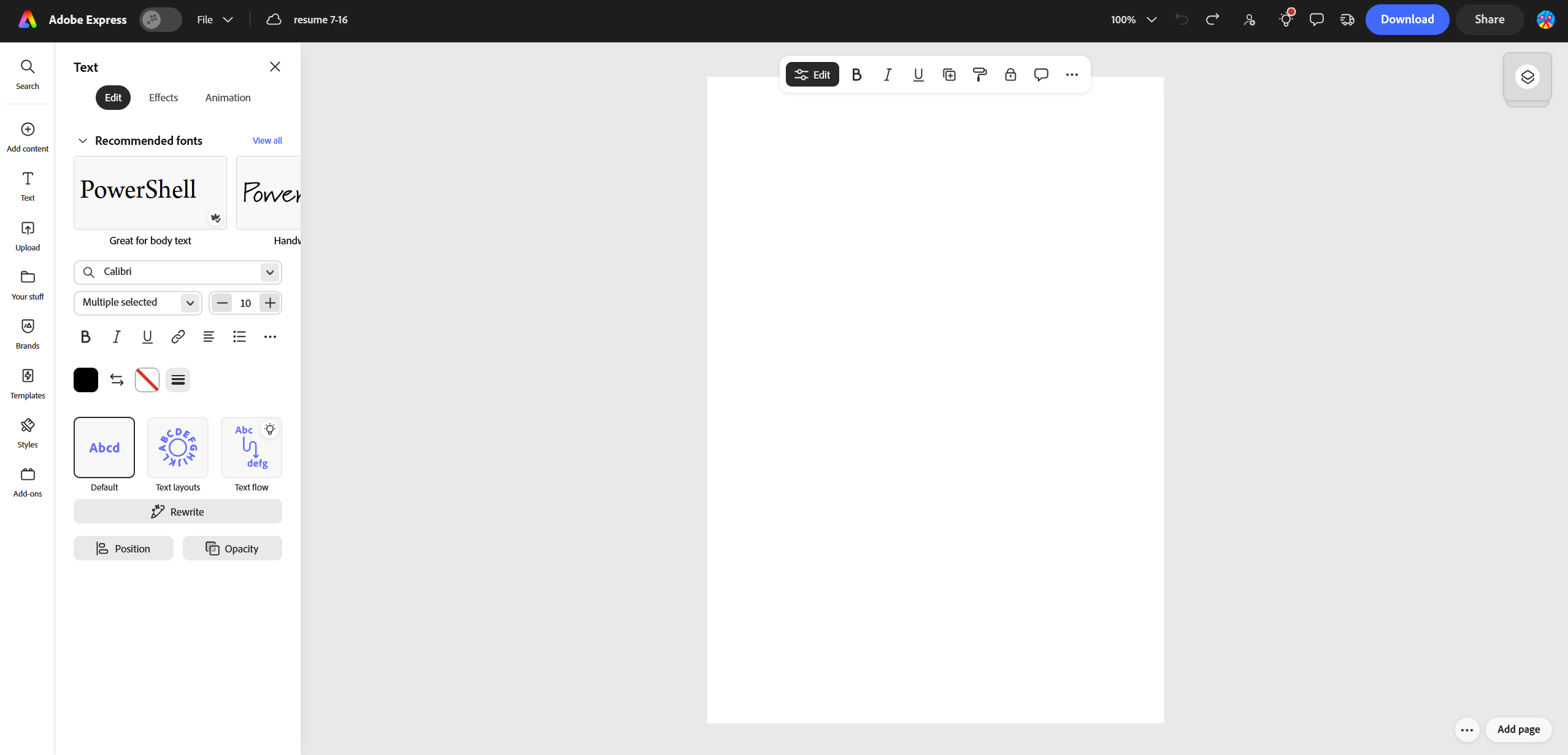
Adobe Express free edition also includes basic PDF editing and viewing tools. You can:
- Open PDF documents
- Add and edit text
- Insert images and graphics
- Customize fonts, colors, and layouts
- Apply design elements and effects
- Save or export your updated document
Getting Started with Adobe Express
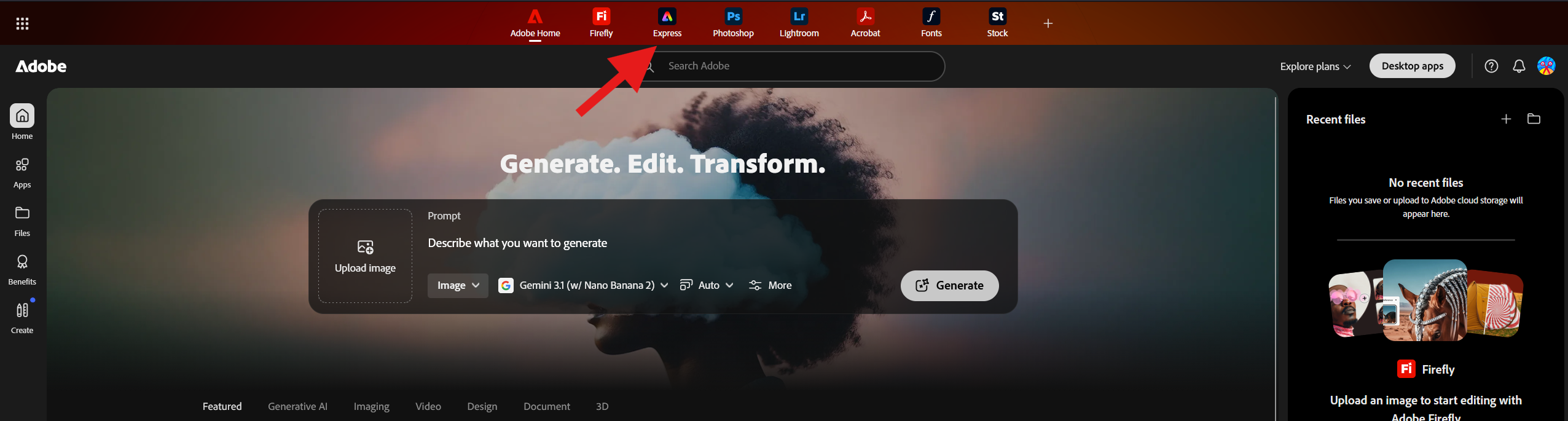
To access Adobe Express:
- Navigate to the Adobe Express Website.
- Select Go to Adobe Express in the upper-right of the page.
- Enter your Illinois State University email address.
- Complete your authentication through Central Login.
- Begin creating content using Adobe Express.
Additional Resources
How to Get Help
Technical assistance is available through the Illinois State University Technology Support Center at:
- Phone: (309) 438-4357
- Email: SupportCenter@IllinoisState.edu
- Submit a Request via Web Form: Get IT Help Form
- Live Chat: IT Help Live Chat