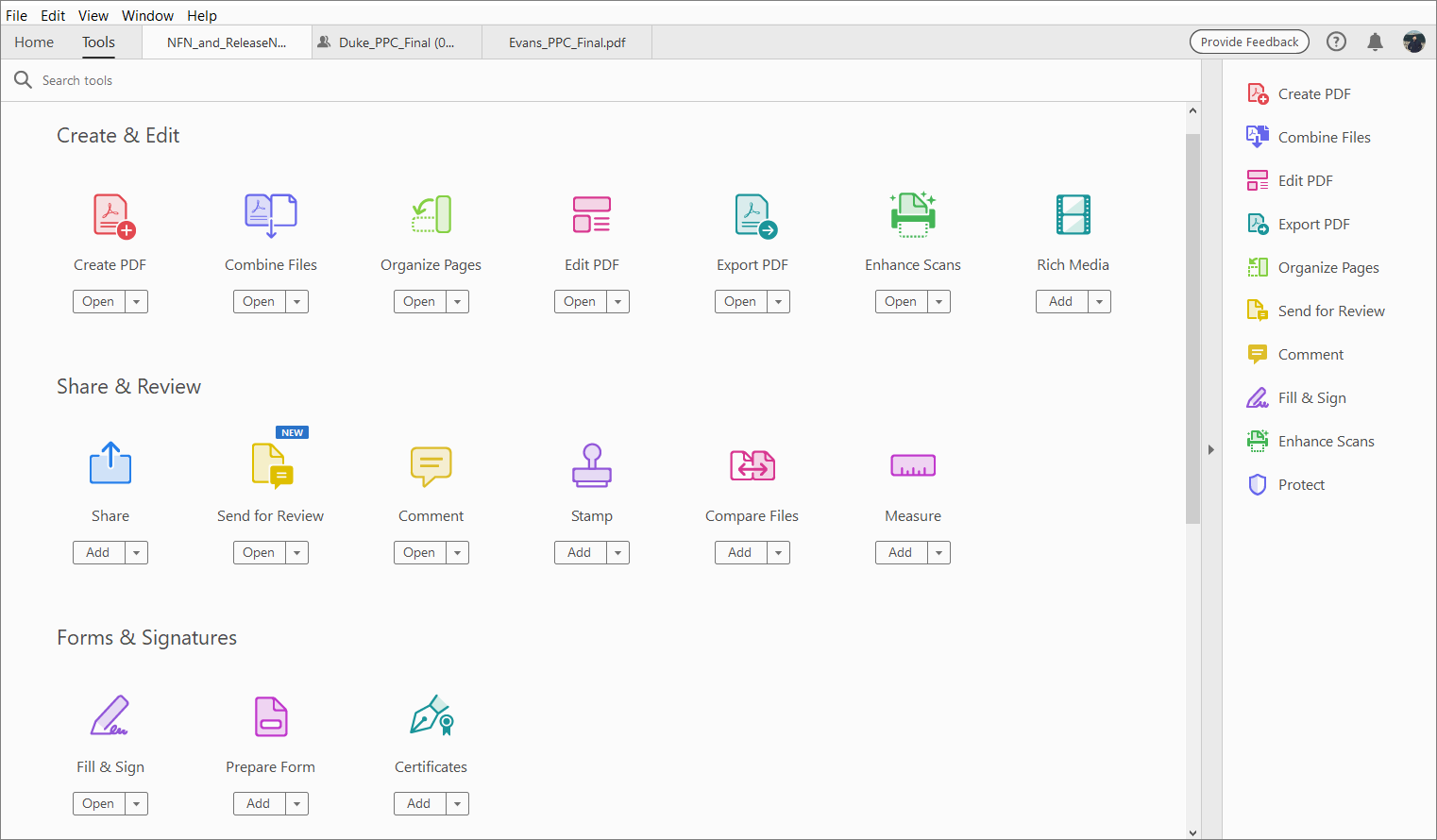
Adobe Acrobat Pro and Foxit PDF Editor+ are PDF management applications that offer a comprehensive set of features for PDF editing.
These include:
- PDF Creation and conversion: Both tools allow users to create PDFs from various file formats and convert them to other formats, such as Word, Excel, and PowerPoint.
- Editing Tools: Users can edit text, images, and pages within PDFs. Both tools offer advanced editing capabilities, such as OCR (Optical Character Recognition) for scanned documents.
- Collaboration and Sharing: Adobe and Foxit provide robust collaboration tools, including commenting, annotation, and sharing options.
Foxit PDF Editor and Adobe Acrobat Pro Comparison
| Feature | Foxit PDF Editor+ | Adobe Acrobat Pro | Description |
|---|
| Basic PDF Editor Functions (Create, Edit, Save, & Search) | ✔ | ✔ | Edit text, images, links, watermarks, background, header & footer in PDF. Create PDF from other file formats |
| Editable Forms | ✔ | ✔ | Create and edit interactive forms and form fields |
| Page Organization | ✔ | ✔ | Insert, delete, extract, reorder, replace and rotate pages |
| Merge PDFs | ✔ | ✔ | Combine multiple PDF files or other files into a single document. |
| Batch Processing | ✔ | ✔ | Apply actions to multiple open PDF files at once |
| Annotations and comments | ✔ | ✔ | Add notes, and mark-up document for review |
| Content Translation | ✔ | Limited | Translate selected text or entire PDF documents |
| Find & Replace | ✔ | ✔ | Search for and replace text throughout PDFs |
| Split PDFs | ✔ | ✔ | Divide a PDF into Multiple documents |
- PDF Creation and Exporting
| Feature | Foxit PDF Editor+ | Adobe Acrobat Pro | Description |
|---|
| Convert PDFs | ✔ | ✔ | Convert PDF to Word, Excel, PPT, Text, RTF, HTML, XML, and Images |
| One-click PDF Creation from most Internet Browsers | ✔ | ✔ | Convert web pages into PDF documents for offline viewing and sharing. |
| Create a blank PDF | ✔ | ✔ | Create a new PDF document directly in the program |
| PDF Portfolio Creation | Limited | ✔ | Package multiple files into a single PDF portfolio |
| Batch Conversion | ✔ | ✔ | Convert multiple files to or from PDF simultaneously |
| PDF Printer | ✔ | ✔ | Print PDFs |
| PDF/A Creation | ✔ | ✔ | Create archival-standard PDF files for long-term preservation |
| PDF/X Creation | Limited | ✔ | Created Print-productions ready PDF files that meet publishing standards. |
| Export Scanned PDFs | ✔ | ✔ | Use OCR to convert scanned PDFs into editable/exportable formats |
- Collaborate and Share PDF
| Feature | Foxit PDF Editor+ | Adobe Acrobat Pro | Description |
|---|
| Commenting | ✔ | ✔ | Comment and leave feedback on PDFs |
| Notes | ✔ | ✔ | Add digital sticky notes to PDFs |
| Replying to Comments | ✔ | ✔ | Respond to comments directly within the PDF |
| Comment Tracking | ✔ | ✔ | Track reviewer comments and discussion threads within the PDF |
| Redacting | ✔ | ✔ | Redact information within the PDF |
| Real-Time Collaboration | ✔ | ✔ | Multiple users can access and review shared documents at the same time |
| Password-Protected Sharing | ✔ | ✔ | Secure shared documents with passwords and encryption |
| OneDrive integration | ✔ | ✔ | Access and share PDFs through Microsoft OneDrive |
| Annotate PDFs | ✔ | ✔ | Highlight/Strikethrough/Underline/Squiggly line/Typewriter/Text Box/Callout/Sticky Note/Shapes/Pencils/Stamps/Signatures |
| Feature | Foxit PDF Editor+ | Adobe Acrobat Pro | Description |
|---|
| Scan to PDF | ✔ | ✔ | Scan paper documents directly into PDF format using a scanner or multifunction printer |
| Scan to insert into existing PDF | ✔ | ✔ | Scan paper documents and insert them into existing PDFs |
| Convert Scanned PDFs | ✔ | ✔ | Export OCR-recognized scanned documents to word files, extract table and data into Excel files, export scanned content to editable Microsoft or other text formats. |
| Scan to save Multiple Files | ✔ | ✔ | Scan multiple paper documents and save them into separate files. |
| OCR (Optical Character Recognition) | ✔ | ✔ | Convert scanned images and PDFs into searchable and editable text |
| Find OCR suspects and mark them as not text or edit the recognition results in batch | ✔ | Not in Batch | Apply OCR to multiple scanned documents at the same time. |
| OCR Multiple languages | ✔ | ✔ | Recognize text in multiple languages during OCR processing |
| OCR for forms | ✔ | ✔ | Recognize form fields and text within scanned forms. |
| Advanced OCR Accuracy Controls | ✔ | ✔ | Fine-tune OCR settings for higher recognition accuracy |
| Feature | Foxit PDF Editor+ | Adobe Acrobat Pro | Description |
|---|
| PDF Encryption | ✔ | ✔ | Encrypt documents to protect content from unauthorized access |
| Digital Signatures | ✔ | ✔ | Apply cryptographic signatures to verify document authenticity and integrity. |
| Create Multiple Signatures | ✔ | ✔ | Create multiple signatures to use throughout the documents signed |
| Certificate Based Signatures | ✔ | ✔ | Use trusted digital certificates for identity verification |
| Lock for Editing | ✔ | ✔ | Restrict access to a PDF for editing, or password protect PDF for editing |
| Secured Sharing | ✔ | ✔ | Share protected PDFs with controlled access to permissions |
| Permission Controls | ✔ | ✔ | Control whether users can print, edit, copy or comment on a PDF |
| Signature Tracking/Requests | ✔ | ✔ | Monitor the status or signature requests and completed signatures. Send documents to others for signatures requests. |
| Certified Documents | ✔ | ✔ | Certify PDFs to indicate approved content and detect unauthorized changes |
| Encrypt and Share | ✔ | ✔ | Protect PDFs with passwords. Flatten PDF, Share via link or email, and redact sensitive information |
| Feature | Foxit PDF Editor+ | Adobe Acrobat Pro | Description |
|---|
| Multiple Viewing PDF modes | ✔ | ✔ | Switch between single-page, continuous, facing-page and full screen views. |
| Multi-tab Viewing | ✔ | ✔ | Have multiple PDFs open in tabs to easily switch between PDFs |
| Page Navigation | ✔ | ✔ | Navigate using page thumbnails, bookmarks, page numbers, and search tools |
| Search Content | ✔ | ✔ | Find words, phrases and patterns within PDF documents, search across multiple PDFs and use advanced search criteria |
| Reflow View | ✔ | ✔ | Reflow text for easier reading on smaller screens and mobile devices |
| Night Mode/Dark Mode | ✔ | ✔ | Reduce eye strain by viewing documents with darker backgrounds and adjusted colors |
| Zoom Controls | ✔ | ✔ | Zoom in and out for detailed viewing of document content |
| Line weights and toggle ruler | ✔ | Only Line Weights | Use Line weights and a toggle ruler to help viewing PDF |
| Read Aloud | ✔ | ✔ | Have document content read aloud using text-to-speech technology |
| Ruler, guides and grids | ✔ | ✔ | Show rulers, guides, and/or grids to help with positioning images or other items in PDFs |
| Print PDF with comments | ✔ | ✔ | Print PDFs with comments and notes for efficient review |
| Print PDF Documents and Forms | ✔ | ✔ | Print complete PDFs or selected page ranges |
| Advanced Print settings | ✔ | ✔ | Configure scaling, orientation, booklet printing, color settings, page handling, poster printing, and preview documents before printing. |
| Feature | Foxit PDF Editor+ | Adobe Acrobat Pro | Description |
|---|
| Accessibility Checker | ✔ | ✔ | Scan PDFs for accessibility issues that identify elements that may not meet accessibility standards. |
| Accessibility Report | ✔ | ✔ | Generate reports showing accessibility compliance issues and recommendations |
| Accessibility Auto-Fix | ✔ | ✔ | Automatically correct common accessibility issues where possible |
| Reading Order Tool | ✔ | ✔ | Define and adjust the order in which screen readers read document content |
| Document Tagging | ✔ | ✔ | Create and manage PDF tags that define document structure for assistive technologies |
| Table Accessibility | ✔ | ✔ | Define table headers, rows, and columns for screen reader compatibility |
| Form Field Accessibility | ✔ | ✔ | Ensure form fields contain labels and descriptions accessible to screen readers |
| Screen Reader Compatibility | ✔ | ✔ | Support assistive technologies such as JAWS, NVDA, and VoiceOver |
| Reading Language Settings | ✔ | ✔ | Specify document language for accurate screen reader pronunciations |
| Color Contrast Verification | Limited | ✔ | Evaluate color contrast to improve readability for users with visual impairments |
| Enterprise Accessibility Remediation | Limited | ✔ | Advanced tools for correcting complex accessibility issues in large documents |
| Foxit PDF Editor+ | Adobe Acrobat Pro |
|---|
Foxit licensed the Microsoft Ribbon creating the same user experience as Microsoft Products 
| |
How to Get Help
Technical assistance is available through the Illinois State University Technology Support Center at: