Identity and Access Management
Grouper Rules
Last modified 9/9/2025
Administrators of groups and folders in Grouper now have access to a new function called "Rules". These do a variety of things that were previously only accessible by a script so this document is to highlight them and walk through their uses.
Using the rules:
- Browse to the group to which you would like to apply the rule
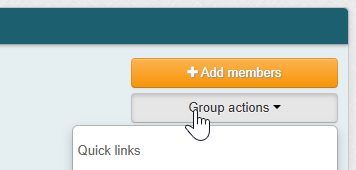
- Select "Group actions" in the top right corner of the screen
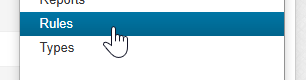
- Scroll down in the menu and select "Rules"
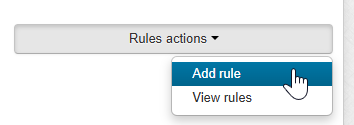
- Click "Rules actions" and "Add rule"
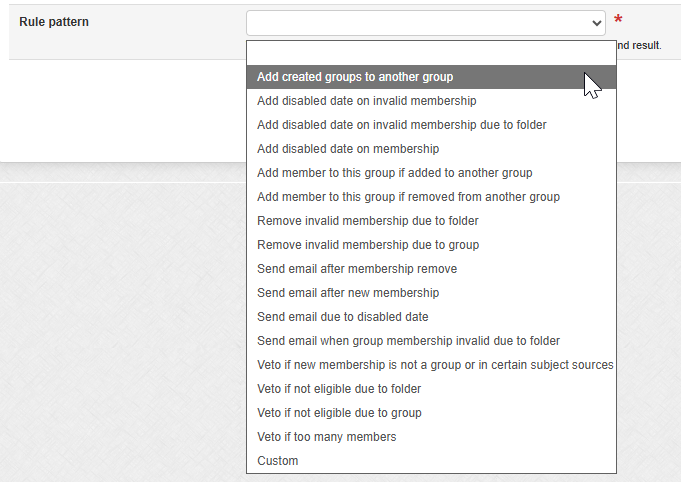
- Choose the rule you wish to use and apply
Variables in emails:
The following variables can be configured in the email messages that are sent to users by these rules. The formatting is this ${safeSubject.%Variable%()}
- getAttributeValue(String attributeName)
- getAttributeValueOrCommaSeparated(String attributeName)
- getDescription()
- getEmailAddress()
- getId()
- getName()
- getSourceId()
- getTypeName()
Feedback
To suggest an update to this article, ISU students, faculty, and staff should submit an Update Knowledge/Help Article request and all others should use the Get IT Help form.