Identity and Access Management
ABAC Scripted Group Loader
Last modified 10/20/2026
This gives users, that are in the permission group access to use the employee data (at the time of writing) ABAC - Attribute Based Access Control - Scripted Group loader, instructions on how to create a scripted group based on Employee Data
- Create group to populate
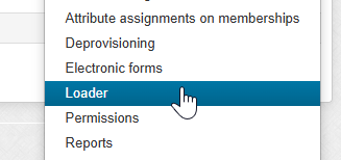
Select “Group actions” -> “Loader”
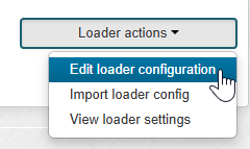
- “Loader actions” -> “Edit loader configuration"
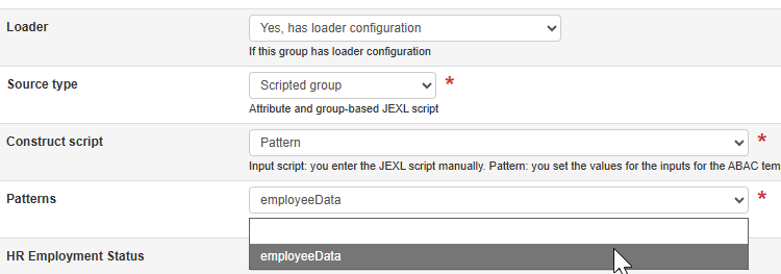
- Select “Yes, has loader configuration” -> “Scripted group” -> “Pattern” -> “employeeData”
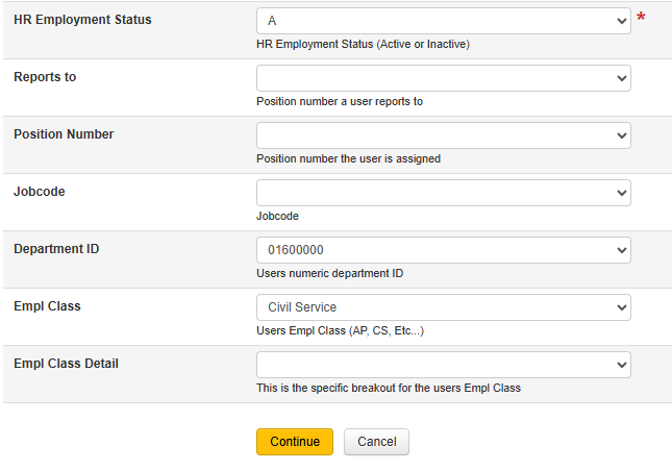
- From there you will be presented with a series of drop down menus that can be used to build a script. “HR Employment Status” is the only required attribute. The remainder can be selected as desired.
- For this demonstration I will be selecting active employees in the ISO department (01600000) that are Civil Service, then clicking “continue”
- This will generate the script.

- Click “Analyze” to see how the population calculation works out
- The information below means that there are 8 Civil Service employees in the ISO but it also gives a breakout of the population it selected from: 4603 active employees, 9 Employees in the ISO department, and 2023 Civil Service employees at ISU

- Clicking “Save” will save this script and the backend data will refresh every 10 minutes.
Note: Scripts can be edited after the fact to add or update functions as described in the details below the script on the loader page. You will only be able to use groups and attributes you have access to at the time of the script writing.
Feedback
To suggest an update to this article, ISU students, faculty, and staff should submit an Update Knowledge/Help Article request and all others should use the Get IT Help form.