Accessibility
Specify a Different Language within Canvas' Page Content
Last modified 8/7/2025
You can specify a different language for a single paragraph within a Canvas page. This is primarily done to enhance accessibility for users who rely on screen readers or other assistive technologies so the screen reader will read out the correct inflections.
Access the HTML Editor
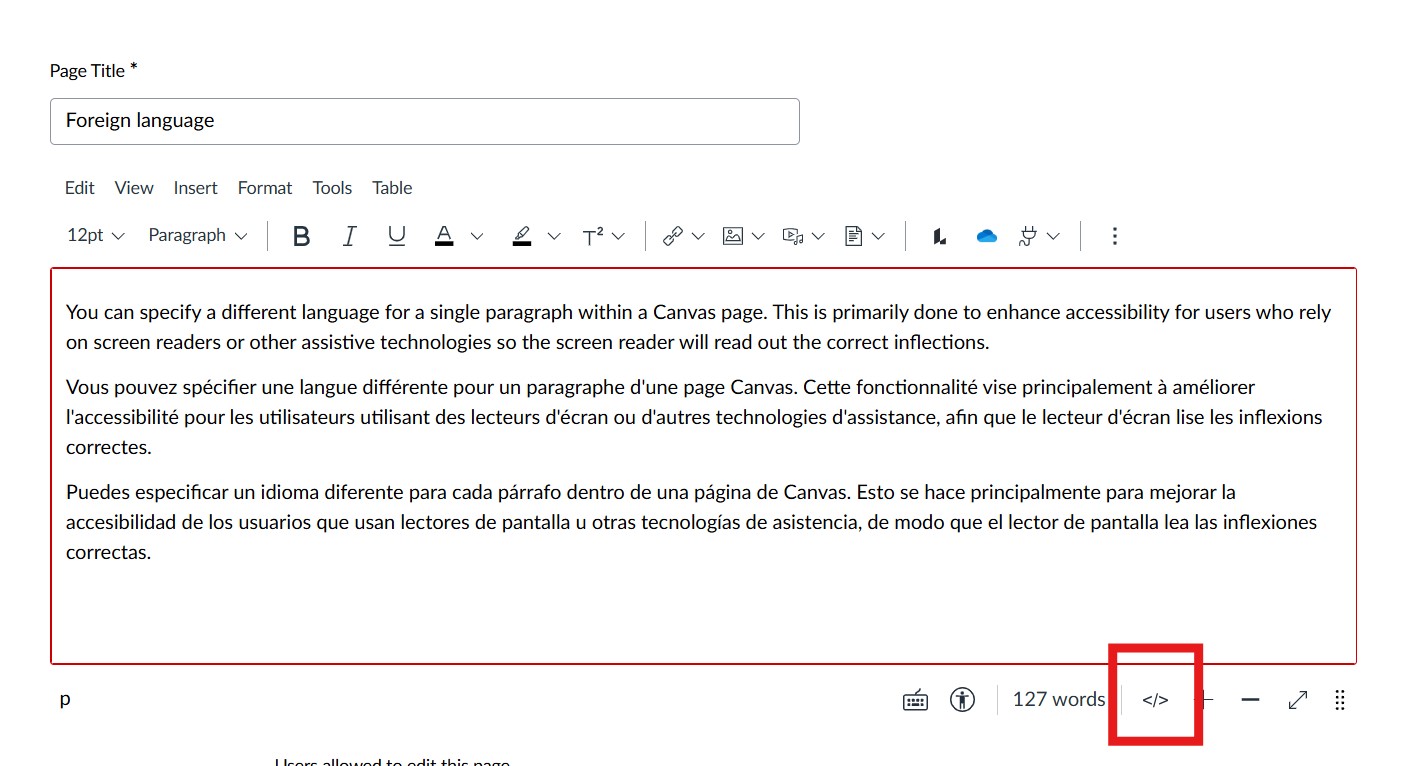
Navigate to the Canvas page where you want to edit the paragraph. Find the "HTML Editor" button within the Rich Content Editor (often represented by </> or similar).
Locate the Paragraph Tag
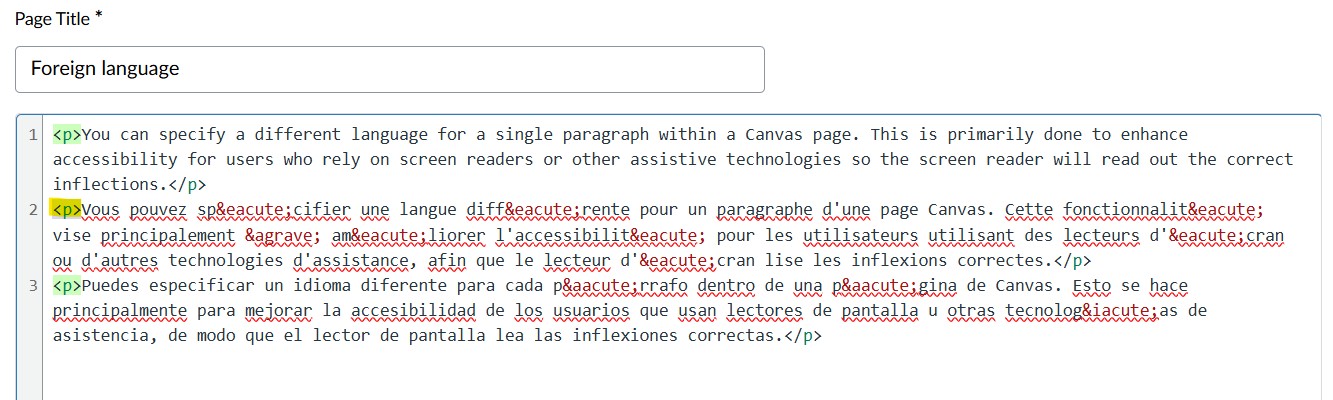
In the HTML editor, find the <p> or <span> tag that surrounds the paragraph you want to modify.
Add the Language Attribute
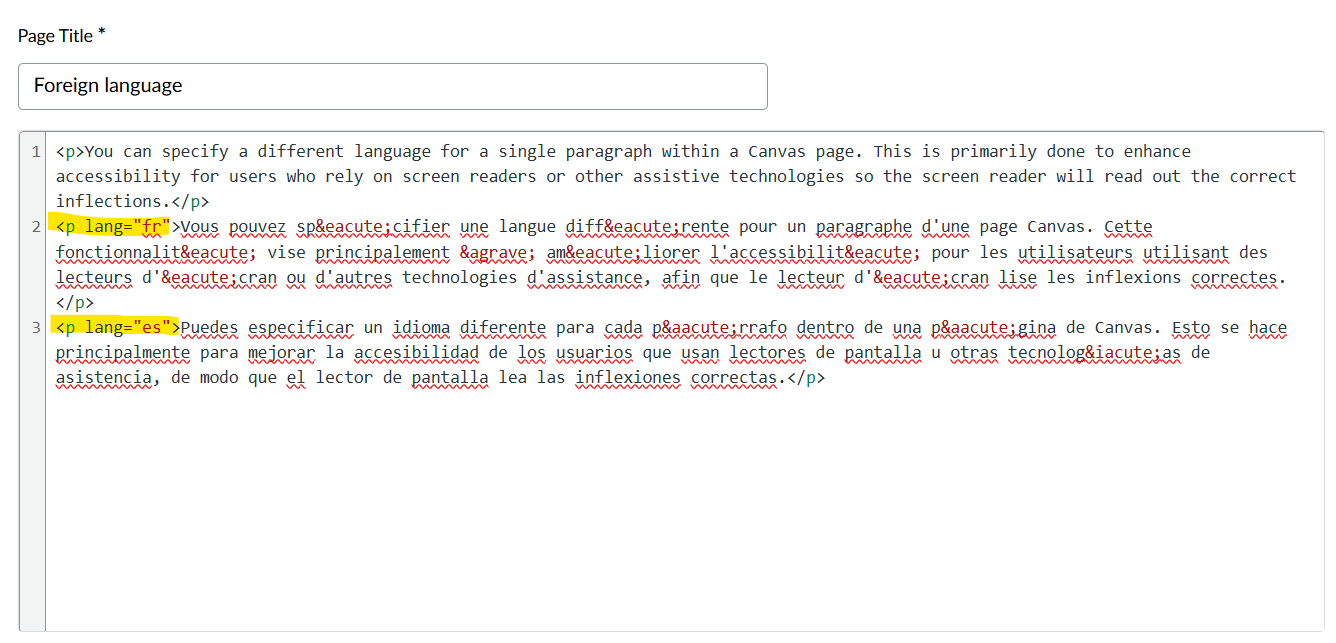
Add the lang attribute to the opening paragraph tag, like this: <p lang="xx">, where "xx" is the 2-letter ISO 639-1 language code for the desired language (e.g., "es" for Spanish, "fr" for French). Use the list of language codes to determine which code to use on your page.
Save Changes
Save the Canvas page to apply the changes.
Feedback
To suggest an update to this article, ISU students, faculty, and staff should submit an Update Knowledge/Help Article request and all others should use the Get IT Help form.